10 Best Student Laptops to Buy Back-to-School 2026

Every school year, the same question comes up: "Which laptop should I buy for my studies?" The 2026 market has more compelling options than ever — AI PCs with Snapdragon X chips delivering unprecedented battery life, Intel Core Ultra with dedicated NPUs, and MacBook Air prices that have become genuinely student-accessible. This guide cuts through the noise and matches each laptop to who it's actually for, which major, and which budget tier — so you buy right the first time.
All prices are approximate Thai retail prices as of July 2026. Actual prices vary by retailer and promotions — verify on the day of purchase.
Minimum Specs You Must Know Before Buying in 2026
Before looking at specific models, understand what's actually sufficient for 2026 — because the laptop you buy today needs to last 4–5 years.
| Spec | Recommended Minimum | Avoid |
|---|---|---|
| CPU | Intel Core i5 Gen 13+ / Ryzen 5 7000+ / Core Ultra | Intel Gen 10/11 (end-of-life) |
| RAM | 16GB | |
| Storage | 512GB NVMe SSD | |
| Display | FHD 1920×1080 minimum (1920×1200 is better) | HD 1366×768 (too low resolution) |
| Battery | ≥ 8 hours real-world | < 5 hours (carry charger everywhere) |
| Weight | ≤ 2 kg for daily commuting | 2.5 kg+ (painful after a week) |
Why is 8GB RAM no longer enough in 2026? Windows 11 alone consumes 3–4 GB before opening anything. Add Chrome with 10 tabs (~2–3 GB), Zoom + Discord (~1–2 GB), and Word/Excel/PowerPoint (~1–2 GB) — that's already 7–10 GB for basic student tasks. A machine with 8 GB will start swapping to the SSD, causing noticeable slowdowns and poor responsiveness.
Why is HDD absolutely off the table? HDD read/write speeds are ~100–150 MB/s. NVMe SSD: ~2,000–5,000 MB/s — a 20–30× difference. Windows boots from HDD in 2–3 minutes versus 15–20 seconds from SSD. There is no budget justification for buying HDD storage in 2026.
 Photo: Student typing on laptop — CC0 via StockSnap
Windows vs Mac vs Chromebook for Students
This isn't about which platform is "better" — it's about matching your major and budget:
Windows Laptop — Best for Most Students
- Best for: Engineering, accounting/finance, business, computer science (non-Mac), design using Adobe suite
- Pros: Widest price range (฿11,000+), best software compatibility (all .exe), more ports per baht than Mac
- Cons: Shorter battery than Mac at the same price, needs antivirus vigilance
MacBook Air — Best for Creative and CS Majors
- Best for: CS/Software Engineering (Xcode is Mac-only), Design/Fine Arts (Figma/Sketch), Film/Media (Final Cut Pro/Logic Pro), anyone prioritising battery life and portability
- Pros: 14–18 hour real-world battery (unmatched), lightest at 1.24 kg, silent (no fan), 7+ year software updates, best display quality
- Cons: Expensive (฿30,900–44,900), needs USB-C hub for USB-A/HDMI, no AutoCAD/SolidWorks for Mac
Chromebook — Secondary School Only
- Best for: Lower/upper secondary students who only use Google Classroom, YouTube, and Google Docs
- Pros: Cheap (฿6,000–12,000), light, good battery, virtually virus-free
- ⚠️ Do not buy for university: Cannot run .exe files — AutoCAD, SolidWorks, MS Office native, Adobe suite, and most specialist software will not work
Top 10 Student Laptops for Back-to-School 2026
#1: ASUS VivoBook Go 15 — Most Affordable at ฿11,280
Key specs: Intel Core i3-N305 (8-core efficient), 8GB RAM, 512GB SSD, 15.6" FHD IPS, 1.63 kg, ~8–9 hr battery
Price: ฿11,280 (includes Windows 11 Home)
| Pros | Cons |
|---|---|
| Cheapest option that still includes a 512GB SSD | 8GB RAM is marginal in 2026 |
| 8–9 hr battery covers a school day | Dim display (~220 nits) |
| 512GB SSD sufficient for 2–3 years | Weak GPU, not for creative work |
| Manageable weight at 1.63 kg | Efficiency core CPU noticeably slower |
Best for: Secondary school students or university students with very tight budgets who only need Word/Excel/browsing. If you can save ฿5,000 more, jumping to #5 below is significantly better value.
#2: MSI Modern 15 — Genuine Office Included at ฿16,990
Key specs: AMD Ryzen 7 7730U (8-core/16-thread, 4.5 GHz), 16GB DDR4, 512GB NVMe, 15.6" FHD IPS, full Numpad, ~1.7 kg, ~8 hr battery
Price: ฿16,990 — includes Windows 11 Home + Microsoft Office Home 2024 (worth ~฿5,000–7,000 separately)
| Pros | Cons |
|---|---|
| Genuine Office 2024 in the box | RAM soldered — not upgradeable |
| Ryzen 7 7730U punches above its price | Standard IPS display, not bright |
| Numpad — great for accounting/finance | 15.6" is larger to carry daily |
Best for: Accounting, finance, business administration students who use Excel/Word/PowerPoint heavily — the bundled Office makes this exceptional value at ฿16,990.
#3: Lenovo IdeaPad Slim 3i 14 — Lightest at 1.37 kg, ฿16,990
Key specs: Intel Core i5-13420H (8-core/12-thread, 4.6 GHz), 16GB LPDDR5, 512GB PCIe 4.0 NVMe, 14" FHD 16:10 300 nits, 1.37 kg (lightest in its price tier), 47Wh with Rapid Charge
Price: ฿16,990
| Pros | Cons |
|---|---|
| Lightest in its class at 1.37 kg | Integrated GPU only |
| Core i5-13420H outperforms the price | Real battery ~7–8 hours |
| 14" 16:10 aspect ratio gives more vertical screen | — |
| 15-minute Rapid Charge = ~2 hours use | — |
Best for: Students who commute daily — BTS/MRT, walking across large campuses. The difference between 1.37 kg and 1.7 kg is very noticeable after a full day.
#4: ASUS VivoBook 15 M1502YA — Big Screen Ryzen 7 at ฿16,900
Key specs: AMD Ryzen 7 7730U (8-core/16-thread), 16GB DDR4, 512GB NVMe, 15.6" FHD IPS 250 nits, 1.70 kg, 42Wh battery (~8–9 hr)
Price: ฿16,900
| Pros | Cons |
|---|---|
| Ryzen 7 7730U exceptional value for the price | Dim display (250 nits — washes out in sunlight) |
| 15.6" screen comfortable for Zoom/movies | Small 42Wh battery |
| Lowest price in Ryzen 7 class | — |
Best for: Students who mostly work from home or a dormitory room, prefer a larger screen, and want Ryzen 7 performance at the lowest possible price.
#5: Acer Swift Go 14 AI ★ — Best Value Under ฿20K at ฿18,990
Key specs: Qualcomm Snapdragon X Plus X1P-42-100 (8-core, 3.2 GHz, 45 TOPS NPU — Copilot+ PC), 16GB LPDDR5X, 512GB NVMe, 14" WUXGA 1920×1200 IPS 120Hz 100% sRGB, 1.33 kg, Wi-Fi 7, USB-C 4.0 ×2
Price: ฿18,990
Battery: 16.5+ hours (best real-world battery of any laptop in this price range)
| Pros | Cons |
|---|---|
| 16+ hour real-world battery — no charger needed for class | ARM limitations: some software not natively supported (certain Lightroom plugins, legacy industrial apps) |
| Copilot+ PC — Windows 11 AI features fully enabled | No USB-A — requires a hub |
| 120Hz 100% sRGB display — accurate, smooth | Weak gaming GPU |
| Wi-Fi 7 support | — |
| 1.33 kg + cool and quiet operation | — |
Best for: Most students who want the best battery life under ฿20,000 without carrying a charger to class. Works perfectly for Word/Excel/PowerPoint/Zoom/browsing all day. ⚠️ Check that your required specialist software supports ARM before buying.
#6: Dell Inspiron 14 5445 — Stylish Design, Ryzen 8000 at ฿20,030
Key specs: AMD Ryzen 5 8540U (6-core, latest-gen), 8GB DDR5, 512GB SSD, 14" 1920×1200 IPS 300 nits, 1.61 kg, ~9–10 hr battery, Ice Blue colour
Price: ฿20,030
| Pros | Cons |
|---|---|
| Ryzen 8540U is the newest AMD generation | 8GB RAM — the main weakness in 2026 |
| Distinctive Ice Blue design | Check whether RAM slot is upgradeable before buying |
| 14" 16:10 300 nits — sharp and readable | Higher price than #3–#4 but less RAM |
| Dell build quality | — |
Best for: Students who want the latest Ryzen generation in a stylish design and can accept the 8GB RAM limitation (or plan to upgrade later).
#7: Lenovo IdeaPad Slim 5 OLED — OLED Display, Longest Battery at ฿20,990
Key specs: Qualcomm Snapdragon X Plus X1P-42-100 (8-core, 45 TOPS NPU), 16GB LPDDR5x, 512GB PCIe 4.0, 14" WUXGA 1920×1200 OLED 400 nits, 1.48 kg, 57Wh (19–21 hours)
Price: ฿20,990
The standout here is an OLED display at ฿21,000 — normally reserved for much more expensive laptops. Perfect blacks, exceptional colour accuracy, paired with the longest battery of any laptop in this roundup.
| Pros | Cons |
|---|---|
| OLED display at ฿21K — best image quality | ARM limitations same as Acer Swift Go AI (#5) |
| Battery 19–21 hours — longest in this article | No USB-A, needs hub |
| Wi-Fi 7, Copilot+ PC | Potential OLED burn-in with static images (use screensaver) |
| 1.48 kg, cool and quiet | — |
Best for: Design/Media/Photography students who need colour-accurate screens, and anyone who wants to work all day without a charger.
 Photo: Laptop keyboard close-up — CC0
#8: Acer Aspire 7 A715 RTX 3050 — Design/Light Gaming at ฿20,990
Key specs: Intel Core i5-13420H (8-core/12-thread, 4.6 GHz), NVIDIA GeForce RTX 3050 6GB GDDR6, 16GB DDR4 (upgradeable to 32GB), 512GB PCIe 4.0, 15.6" FHD IPS 144Hz, 1.99 kg, ~4–5 hr under GPU load
Price: ฿20,990
| Pros | Cons |
|---|---|
| RTX 3050 6GB — real CUDA/render/AI GPU | Heavy at 2 kg + short battery (4–5 hr under GPU load) |
| 144Hz smooth display | Must carry charger always |
| RAM upgradeable to 32GB | Difficult to carry daily |
| H-series CPU — full performance | — |
Best for: Architecture, Fine Arts, Multimedia, and students using Blender/After Effects/Premiere Pro who need a real dedicated GPU at ฿21,000. Accept the weight trade-off for GPU power.
#9: ASUS VivoBook 14 AI — Core Ultra 5 Content Creator at ฿23,990
Key specs: Intel Core Ultra 5 225H (14-core/14-thread, 4.9 GHz), Intel Arc 130T GPU (hardware AV1 encode), 16GB DDR5, 512GB PCIe 4.0, 14" FHD+ 1920×1200 IPS 100% sRGB, 1.46 kg, ~12–14 hr battery
Price: ฿23,990 — includes Windows 11 Home + Office Home 2024 + Microsoft 365 Basic (12 months)
| Pros | Cons |
|---|---|
| Core Ultra 5 225H (H-series in a 14" chassis) | 16GB RAM not upgradeable (LPDDR5 soldered) |
| Arc 130T — hardware AV1 encode speeds up video editing | Price point over ฿23K |
| 100% sRGB accurate colour | — |
| 12–14 hr battery | — |
| Office + 365 Basic included | — |
Best for: Video editing, graphic design, photography students who want hardware encode support in a light 1.46 kg machine, plus bundled Office.
#10: MacBook Air M4 13" — Premium, Best Battery at ฿30,900+
Key specs: Apple M4 (10-core CPU / 8-core GPU / 16-core Neural Engine), 16GB Unified Memory, 256GB or 512GB SSD, 13.6" Liquid Retina 2560×1664 500 nits P3 wide colour True Tone, 1.24 kg, fanless, 14–18 hr battery real-world
Price:
- ฿30,900 (16GB / 256GB) — ⚠️ 256GB insufficient for students; fills up quickly
- ฿35,900 (16GB / 512GB) — recommended configuration for students
- Apple Education discount via UNiDAYS/Apple Store may save ~฿1,000–2,000
| Pros | Cons |
|---|---|
| 14–18 hr real-world battery — best of any laptop, period | Expensive starting at ฿30,900 |
| Lightest at 1.24 kg | Needs USB-C hub (no USB-A/HDMI built-in) |
| Fanless — completely silent | No AutoCAD/SolidWorks for Mac |
| Best display quality of any laptop here | iCloud only 5GB free — need to buy more |
| macOS updates for 7+ years | 256GB is not enough — 512GB = ฿35,900 |
Best for: CS students (Xcode is Mac-only), Design, Film/Media, and Journalism students with the budget, who prioritise the absolute best battery life, portability, and build longevity.
Full Comparison Table
| Model | Price (฿) | CPU | RAM | SSD | Weight | Battery | Best for |
|---|---|---|---|---|---|---|---|
| ASUS VivoBook Go 15 | 11,280 | i3-N305 | 8GB | 512GB | 1.63 kg | ~9 hr | Secondary school, tight budget |
| MSI Modern 15 +Office | 16,990 | Ryzen 7 7730U | 16GB | 512GB | ~1.7 kg | ~8 hr | Accounting/business + Office |
| Lenovo IdeaPad Slim 3i | 16,990 | i5-13420H | 16GB | 512GB | 1.37 kg | ~8 hr | Daily commuters |
| ASUS VivoBook 15 | 16,900 | Ryzen 7 7730U | 16GB | 512GB | 1.70 kg | ~8 hr | Big screen on a budget |
| Acer Swift Go 14 AI ★ | 18,990 | Snapdragon X Plus | 16GB | 512GB | 1.33 kg | 16+ | Best value under ฿20K |
| Dell Inspiron 14 | 20,030 | Ryzen 5 8540U | 8GB | 512GB | 1.61 kg | ~10 hr | Stylish design |
| Lenovo Slim 5 OLED | 20,990 | Snapdragon X Plus | 16GB | 512GB | 1.48 kg | 19–21 | OLED display + long battery |
| Acer Aspire 7 RTX | 20,990 | i5-13420H | 16GB | 512GB | 1.99 kg | ~5 hr | Design/light gaming |
| ASUS VivoBook 14 AI | 23,990 | Core Ultra 5 225H | 16GB | 512GB | 1.46 kg | ~13 hr | Content creation |
| MacBook Air M4 | 30,900+ | Apple M4 | 16GB | 256GB+ | 1.24 kg | 14–18 | Premium CS/Design |
Choosing by Major and Budget
Beyond the budget, your major dictates software requirements:
 Photo: Student with notebook and laptop by Shixart1985 — CC BY 2.0 via Wikimedia
| Major | Recommended | Reason |
|---|---|---|
| Accounting / Finance / Business | MSI Modern 15 or Lenovo Slim 3i | Office native, Numpad helpful |
| Mechanical / Electrical / Civil Engineering | Acer Aspire 7 RTX or VivoBook 14 AI | AutoCAD/SolidWorks need GPU + RAM |
| CS / IT (Windows) | Acer Swift Go 14 AI or VivoBook 14 AI | Fast CPU, long battery, AI features |
| CS / Software Eng. (Mac) | MacBook Air M4 (512GB) | Xcode is Mac-only, best battery |
| Design / Fine Arts | Lenovo Slim 5 OLED or VivoBook 14 AI | 100% sRGB / OLED for colour accuracy |
| Film / Video Production | VivoBook 14 AI (Arc AV1) or MacBook M4 | Hardware encode speeds up editing |
| Medicine / Nursing / Pharmacy | Lenovo Slim 3i or Acer Swift Go AI | Light + long battery for long days |
| Education / Social Sciences | MSI Modern 15 or ASUS VivoBook 15 | Full Office, comfortable screen |
| Secondary school, tight budget | ASUS VivoBook Go 15 | Most affordable that's still usable |
By budget:
- ฿10,000–13,000: ASUS VivoBook Go 15 — entry level, works for basic tasks
- ฿15,000–20,000: Acer Swift Go 14 AI ★ — best value; exceptional battery life
- ฿20,000–25,000: Depends on major — Lenovo OLED, Acer Aspire 7, or VivoBook 14 AI
- ฿30,000+: MacBook Air M4 if your major supports Mac — best long-term value
10 Mistakes to Avoid When Buying a Student Laptop
- Buying 8GB RAM in 2026 — Windows 11 + Chrome + Zoom + Word already exceeds 8GB; slowdowns are guaranteed
- Buying a laptop with HDD — 2–3 minute boot times in an era when SSD is cheap and standard
- Buying 256GB storage — Windows updates + apps + files fill 256GB within a year; 512GB minimum
- Confusing CPU variants — Intel Core i5-1235U (9W low-power) vs i5-13420H (45W performance) are very different; check the suffix
- Ignoring weight — A 2.5 kg laptop carried daily causes real shoulder and back strain by year two
- Buying Intel Gen 10/11 because it's cheap — These are end-of-life platforms; no AI PC features and limited OS support ahead
- Not checking whether RAM is soldered — Some models have RAM soldered to the motherboard; no future upgrade possible
- Buying a Chromebook for university — Can't run .exe files; you'll need to replace it within one semester
- Forgetting accessory costs — MacBook requires a USB-C hub (฿500–1,500); factor this into the budget
- Trusting spec-sheet battery life 100% — "Up to 10 hours" typically means 6–7 hours in real use; read independent reviews
Verdict
For most Thai students in 2026:
- Best value at ฿18,990: Acer Swift Go 14 AI — 16+ hour battery, AI PC, 1.33 kg, no charger needed for a full school day. The ARM software limitations don't affect standard coursework.
- Best ultraportable at ฿16,990: Lenovo IdeaPad Slim 3i — 1.37 kg, no software compatibility concerns, fast Core i5.
- Best with bundled Office at ฿16,990: MSI Modern 15 — Office 2024 saves ฿5,000+ in software costs.
- Best OLED at ฿20,990: Lenovo IdeaPad Slim 5 OLED — finest display quality under ฿25,000, plus the longest battery in this roundup.
- Best for design/light gaming at ฿20,990: Acer Aspire 7 RTX 3050 — real RTX GPU at this price is rare.
- Best premium at ฿35,900: MacBook Air M4 (512GB) — if your major supports macOS, the long-term value is outstanding: battery, durability, and years of updates.
The most important step before buying: verify that the specialist software your department requires runs on the spec you're choosing. Ask your lecturer or upperclassmen — some departments have strict requirements that make the decision for you.
If you need a laptop that can handle serious gaming (RTX 5060+), our dedicated 10 Best Gaming Laptops 2026 guide covers every budget from ฿27,990 upwards.
For students looking at peripherals, see Mechanical Keyboards for Beginners 2026. For managing files across devices, read Cloud Storage Comparison 2026: Google Drive vs iCloud vs OneDrive. Once you graduate and join the workforce, see Best AI Laptops for Work 2026 for the professional upgrade path.
Sources
- Notebookspec.com — 9 lightweight work laptops, from ฿16,000 (2026)
- Notebookspec.com — 6 work laptops 2026: value specs compared to MacBook
- th.my-best.com — 10 student laptops under budget 2026
- iphone-droid.net — Best laptops under ฿20,000 in 2026
- droidsans.com — How to buy a laptop in 2026
- bnn.in.th — MacBook Air Thailand prices
- themacindex.com — MacBook Air M4 Thailand pricing
Frequently asked questions
- What is the best laptop for students with a budget of ฿15,000–20,000 in 2026?
- The Acer Swift Go 14 AI (฿18,990) is our top pick — 16+ hour real-world battery, 1.33 kg weight, Snapdragon X Plus CPU with AI PC features, and a 120Hz 100% sRGB display. It suits most majors. If you need a larger screen, the MSI Modern 15 or ASUS VivoBook 15 at ฿16,900–16,990 are strong alternatives.
- Should a student buy a MacBook or a Windows laptop?
- It depends on your major. CS, Design, and Film students who use Xcode/Final Cut Pro/Logic Pro will find MacBook Air M4 excellent — 14–18 hr battery, light weight, and 7+ year software updates. Engineering (AutoCAD/SolidWorks) or business/accounting students who need Windows-only software must choose a Windows laptop.
- Is 8GB RAM still enough in 2026?
- No. Windows 11 + 10 Chrome tabs + Zoom + Discord already use over 8GB. The machine will start swapping to the SSD, causing noticeable slowdowns. 16GB is the recommended minimum.
- What specs should a student laptop have in 2026?
- Minimum: Intel Core i5 Gen 13+ / AMD Ryzen 5 7000+ / Intel Core Ultra, 16GB RAM, 512GB NVMe SSD (no HDD), FHD 1920×1080+ display, ≤ 2 kg weight, and ≥ 8 hours real-world battery.
- Can a Chromebook handle university coursework?
- Not recommended for university. Chromebooks can't run .exe files, so AutoCAD, SolidWorks, MS Office native, Adobe suite, and other specialised software won't work. They're suitable only for secondary school students using Google Classroom and a browser.
- Is back-to-school season a good time to buy a laptop in Thailand?
- Yes — Thai back-to-school season (May–July) often brings promotions like free bags, mice, or price cuts on previous-generation models. If you can wait until 11.11 (November), you may save an extra 5–15%, but current deals are already competitive.
Related articles

OPPO Reno16 vs Reno16 Pro vs Reno16 F: Which to Buy in 2026
Compare specs, price, cameras and battery of OPPO Reno16, Reno16 Pro and Reno16 F in Thailand 2026, with real pros/cons and which model is worth the upgrade.
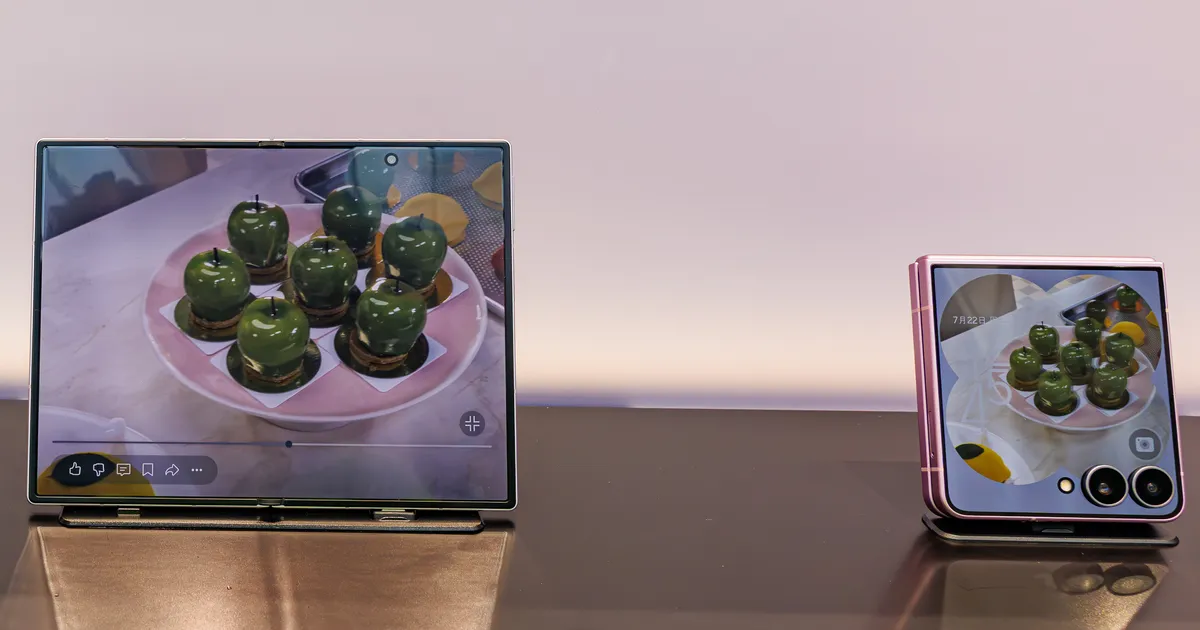
Galaxy Z Fold8 vs Fold8 Ultra vs Flip8 2026: Which Should You Buy?
Compare Samsung Galaxy Z Fold8, Fold8 Ultra and Flip8 — Thailand prices, specs, cameras and battery, before the 14 Aug 2026 launch, with a clear buying recommendation.

10 Best AI Laptops for Work in 2026 — Every Budget from ฿34,000 to MacBook Pro
Top 10 AI laptops for professionals and office workers in Thailand 2026 — with real specs, Thai market prices, pros & cons, and picks by job type. One guide to buy the right laptop the first time.