AMD vs Intel 2026: which CPU is better value, with real electricity and motherboard costs

"AMD or Intel?" is hard to answer because the answer changes every year, and most articles answer it from feel or from a single benchmark.
This one answers with three measurable things: benchmark figures for the current flagships, the electricity difference in actual baht at Thai tariffs, and the cost of a socket change — the largest expense nobody accounts for when choosing a CPU.
Gaming: AMD X3D leads, in a way money cannot buy back
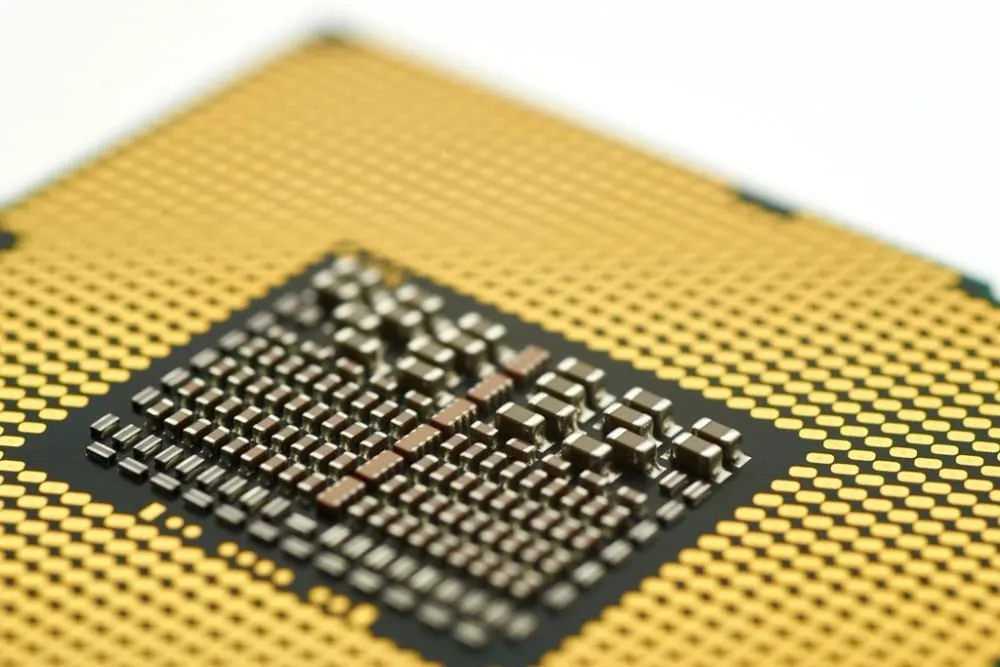 Photo: Brian Wong — CC BY-SA 2.0 (Wikimedia Commons)
AMD stacks extra cache onto its X3D models (3D V-Cache), which games benefit from unusually well. The result:
- The Ryzen 7 9800X3D leads Intel's best gaming chips by roughly 10–20% in CPU-bound scenarios.
- In some titles the gap is far wider — Factorio runs 40% faster than on a Core Ultra 9 285K.
- The top of the range, the 9850X3D, is rated as the fastest gaming CPU available.
⚠️ Why this gap matters more than other numbers — it is a gap money cannot buy back. Spending more on the Intel side does not recover those frames, unlike a graphics card where more money buys more frames directly.
⚠️ But the gap is conditional: it only shows when the CPU is the bottleneck, which means low resolutions (1080p) with a powerful GPU, or calculation-heavy simulation and city-builder games. At 1440p or 4K with a mid-range graphics card the GPU bottlenecks first, and both brands deliver very similar frame rates — which is why anyone on a budget should put money into the GPU first.
Multi-core work: close enough that your software decides
 Photo: Jacek Halicki — CC BY-SA 4.0 (Wikimedia Commons)
Intel fights back harder in production work than people expect:
| Cinebench 2024 (multi-core) | |
|---|---|
| Intel Core Ultra 9 285K | 2,416 |
| AMD Ryzen 9 9950X3D | 2,393 |
Under 1% apart — in practice, identical.
⚠️ But the headline score hides something important: once AVX-512 enters the picture, AMD takes a 10–25% lead. That group is exactly what working professionals use — Blender (3D rendering), Handbrake x265 (video transcoding) and DaVinci Resolve (AV1 encoding).
So the right question is not "which brand is faster" but "is the software I use daily in the group that benefits from AVX-512?" If yes, AMD is clearly better value. For office work, software specifically optimised for Intel, or business machines needing enterprise management tooling, Intel remains a strong option.
What the electricity actually costs, in baht
This is the most commonly cited argument for AMD, and in real money the answer is more interesting than either side claims.
Measured power consumption:
| Scenario | Ryzen 7 9800X3D | Core Ultra 9 285K |
|---|---|---|
| Gaming (average) | ~54 W | ~83 W (about 53% higher) |
| Full all-core load (y-cruncher) | 176 W | 287 W |
| Prime95 AVX | 171 W | 325 W (about 90% higher) |
| Rated TDP | 120 W | 125 W (250 W max turbo) |
At 4.62 baht per unit (the marginal rate for a household using 201–400 units a month):
| Usage | Power difference | Per year | Over 3 years |
|---|---|---|---|
| Gaming 4 hours a day | 29 W | 42 units = 196 baht | 587 baht |
| Heavy load 8 h/day, 250 days | 111 W | 222 units = 1,026 baht | 3,077 baht |
⚠️ What these figures say contradicts both camps: if you mainly game, do not use electricity as a deciding factor. 196 baht a year is three cups of coffee, not a variable in a decision about a ten-thousand-baht component. But if you render or transcode all day, 3,077 baht over three years starts to matter — and it brings companions.
⚠️ A hidden cost Thai buyers should add: heat. A CPU drawing 325 W emits that much heat, and in an air-conditioned room the aircon works harder to remove it. It also needs a larger, dearer cooler — a heatsink rated for 250 W costs thousands of baht more than one rated for 120 W.
The biggest cost nobody accounts for: the socket
This one changes the answer several times more than electricity does.
At Computex 2026 AMD committed to supporting the AM5 socket through 2029, setting a firm end date in place of the earlier open-ended "2027 and beyond".
On the Intel side, LGA1851 launched on 24 October 2024 for Arrow Lake-S, and Intel is moving to LGA1954 for Nova Lake-S, due in early 2027, with no confirmation that the next generation will work in LGA1851.
⚠️ In money: if you intend to upgrade the CPU in about three years —
- On AM5: buy only the CPU and drop it into the existing board (possibly after a BIOS update).
- On LGA1851: buy the CPU plus a new motherboard, which for a decent mid-range board in Thailand runs into thousands of baht — and new memory too if the standard changes.
One motherboard costs several times the three-year electricity difference for a gamer — which is why the socket deserves attention before power draw, if you genuinely upgrade mid-life.
⚠️ But the reverse also holds: if you run a machine until it is retired and then replace the whole thing — which is what most people do — the socket is worth nothing to you, and you should decide purely on price-to-performance on the day. Answer that question honestly first, because a great many people pay extra "in case I upgrade" and never do.
Choosing for your case
| If you | Choose | Because |
|---|---|---|
| Game mainly at 1080p with a fast GPU | AMD X3D | 10–20% ahead where the CPU bottlenecks |
| Game at 1440p/4K on a mid-range GPU | Whatever is cheapest | The GPU bottlenecks first |
| 3D render / transcode / edit | AMD | 10–25% ahead in AVX-512 work |
| Office and general use | Whatever is cheapest | Both are far more than enough |
| Business machine needing management tooling | Intel | A more established enterprise ecosystem |
| Plan to upgrade the CPU in 3–5 years | AMD (AM5) | Saves a motherboard next time |
| Run it until you replace everything | Pure price-to-performance | The socket is irrelevant to you |
| Run heavy loads all day, every day | AMD | ~3,000 baht of electricity over 3 years, plus less heat |
Common mistakes
Spending so much on the CPU there is nothing left for the GPU — at 1440p and above the graphics card determines frame rate far more. Pairing a flagship CPU with a low-end GPU is paying for a part that will not work.
Judging by core count alone — core count says very little. An eight-core chip with a lot of cache beats a sixteen-core one in games comfortably, and most real workloads do not scale linearly with cores.
Trusting synthetic benchmarks alone — a Cinebench score does not tell you your frame rate. Find benchmarks for the games and programs you actually use.
Forgetting the cooler and power supply — a 250 W CPU needs a bigger heatsink and a larger PSU, costs that belong in that CPU's price.
Buying for a future that never arrives — paying thousands extra "in case I upgrade", then running the same machine for six years and replacing it whole.
Building without considering total system power — the CPU difference is smaller than people think, while the graphics card draws hundreds of watts. See how to cut your electricity bill if you want to work out the whole house.
Summary
- Gaming → AMD X3D, 10–20% ahead and up to 40% in some titles where the CPU bottlenecks.
- Multi-core work → essentially tied (2,416 vs 2,393 in Cinebench 2024), but AMD leads 10–25% in AVX-512 work such as Blender, Handbrake and DaVinci Resolve.
- The gaming electricity difference is 196 baht a year — too small to decide on.
- But heavy all-day work differs by 3,077 baht over three years, plus aircon and cooler costs.
- AM5 through 2029; LGA1851 gives way to LGA1954 in early 2027 — the next motherboard costs several times the electricity gap.
- If you never upgrade mid-life, the socket is irrelevant — decide on price-to-performance alone.
- Put money into the GPU first if you play at 1440p or above.
Sources
- Tom's Hardware — Intel vs AMD: Which CPUs Are Better in 2026?
- Tom's Hardware — Core Ultra 9 285K vs Ryzen 7 9800X3D faceoff
- Tom's Hardware — Ryzen 7 9800X3D review: power consumption and efficiency
- PC Gamer — AMD promises AM5 socket support through 2027 and beyond
- VideoCardz — Zen 6 expected to keep AM5; Intel silent on LGA-1851
- Wikipedia — LGA 1954 (Nova Lake-S, Q1 2027)
Power figures are as measured by Tom's Hardware on their test bench and vary with motherboard, settings and workload. Electricity costs use a marginal rate of 4.62 baht per unit (Thai residential type 1.2, the 201–400 unit tier, including Ft and VAT for the Sep–Dec 2026 period) and count the CPU only, not the rest of the system. Prices and available models change constantly — check benchmarks for the games and programs you actually use.
Frequently asked questions
- For gaming only, which should I pick?
- AMD Ryzen X3D, clearly. The 3D V-Cache puts it 10–20% ahead of Intel in CPU-bound scenarios, and in some titles like Factorio the gap reaches 40% — a difference that paying more for Intel cannot buy back.
- For video editing and rendering?
- Very close on overall scores, but AMD leads clearly in AVX-512 workloads such as Blender, Handbrake x265 and DaVinci Resolve, typically by 10–25%. If your main software is in that group, AMD is better value.
- Is the electricity difference significant?
- For gaming it is only about 196 baht a year (four hours a day at 4.62 baht per unit), too small to decide on. Running heavy workloads eight hours a day, 250 days a year, the difference is about 1,026 baht a year.
- Why does the socket matter?
- It matters a lot if you plan to upgrade the CPU later. AMD has committed to AM5 through 2029, while Intel moves to LGA1954 for Nova Lake-S in early 2027 — so an Intel CPU upgrade means a new motherboard as well, which is thousands of baht.
- On a tight budget?
- Do not choose by brand. Choose the model with the best frames-per-baht in the games you actually play, and put money into the graphics card first — at 1440p and above the GPU determines your frame rate far more than the CPU does.
- How long will a CPU bought today last?
- A mid-range or better CPU today will comfortably handle general use and gaming for five to seven years. What usually needs upgrading first is the graphics card and the SSD, not the CPU.
Related articles

SSD vs HDD 2026: Gen5 doubles the number on the box and saves 27 minutes over three years
SSD against HDD on speed, cost per TB and endurance — plus whether NVMe Gen5 is worth it over Gen4, and why SSD prices spiked in 2026.

Buying a monitor 2026: learn the PPI sum and size versus resolution answers itself
How to match screen size to resolution with the actual PPI arithmetic, which refresh rates are worth paying for, panel types, and the mistakes that lead to the wrong monitor.

Buying a laptop 2026: soldered RAM is a permanent spec, and it changes your cost per year
The laptop specs that actually matter in 2026 — upgradeable versus soldered memory, the new LPCAMM2 standard, cost per usable year, and what Thai buyers overlook.