10 Best Gaming Laptops 2026 in Thailand — Every Budget Compared (RTX 5060 to RTX 5070)

Watch: These 2026 Gaming Laptops Are AMAZING! by Dave2D
Mid-2026 marks a clear transition point in gaming laptops. NVIDIA's Blackwell (RTX 5000 series) has officially landed in Thai retail, with ASUS, Lenovo, and Acer all shipping RTX 5060 and 5070 models. At the same time, RTX 4060 machines have dropped in price — so buyers now face a genuinely interesting choice: pay a bit more for the new generation, or grab a discounted 4060?
With university semesters starting in August and September, many Thai students and families are weighing this decision right now. This article cuts through the confusion with current July 2026 prices from Thai retailers, honest pros and cons, and a direct recommendation for each budget tier.
How to Choose a Gaming Laptop — 5 Key Criteria
Before the ranked list, here are the five things that actually matter. Understanding these will help you interpret each spec sheet correctly.
1. GPU is the heart — but check TGP too
The GPU (graphics card) determines gaming performance most. The critical nuance: the same GPU model can vary dramatically in power. An RTX 5060 Laptop can ship with 40W TGP (in slim designs) or 80W TGP (in full gaming builds) — a performance gap of 30–40%. Always look for TGP in the full spec sheet.
GPU tiers for 2026:
- RTX 5060 (80W): The new mainstream standard. Handles 1080p Ultra in every game; comfortable at 1440p Medium-High
- RTX 4060 (80–115W): Still very capable at 1080p, but increasingly behind in 2026–2027 titles
- RTX 4050 (60W): Entry gaming — great for RoV, PUBG, Valorant, Free Fire; AAA titles need reduced settings
- RTX 5070 (125W): Overkill for most users; for 4K gaming and content creators
2. CPU — Intel Core Ultra vs AMD Ryzen 7 in 2026
Both camps perform well for gaming. Key differences:
- AMD Ryzen 7 (260/7745HX): More power-efficient, longer battery life in non-gaming use, slightly lower temperatures
- Intel Core i7/Core Ultra: Marginally better single-core scores; beneficial in games relying on single-thread performance
In real-world gaming, the difference is under 5–8%. Prioritize GPU and price.
3. Display — Hz and resolution matter equally
- 144Hz FHD: Minimum recommended for gaming
- 165–180Hz FHD/QHD: Sweet spot at mid-range prices
- 240Hz QHD+: For competitive/esports-serious players
- OLED: Stunning colors and contrast, but potential burn-in with static UI over years
4. RAM and SSD
16GB DDR5 is the 2026 minimum — several newer games use 12–16GB. Don't buy 8GB. For storage, aim for 1TB or higher; modern games are 50–150GB each.
5. Thermal management — critical in Thailand's heat
Thailand's climate makes cooling a bigger factor than in cooler countries. Best thermals per price tier: ASUS TUF > Lenovo Legion/LOQ > Acer Nitro/Predator > MSI Thin

10 Best Gaming Laptops Ranked — Thailand 2026
#1: ASUS ROG Strix G16 2026 (RTX 5060) — Best premium at ฿78,990
Price: ฿78,990 (July 2026)
| Spec | Detail |
|---|---|
| GPU | NVIDIA GeForce RTX 5060 Laptop (80W TGP) |
| CPU | Intel Core Ultra 7 255HX |
| RAM | 16GB DDR5 5600MHz |
| SSD | 1TB PCIe Gen 4 NVMe |
| Display | 16" QHD+ (2560×1600) 240Hz, IPS-level |
| Weight | ~2.2 kg |
Why #1? The ROG Strix G16 2026 has earned near-universal praise as the best ROI gaming laptop at the premium tier. The QHD+ 240Hz panel delivers crisp, smooth visuals; the Tri-Fan Technology sustains the RTX 5060 at 80W without throttling under extended load; and the speakers punch well above the gaming laptop average. It's the first laptop to genuinely make RTX 5060 shine at 1440p.
Pros: QHD+ clarity, Blackwell-gen RTX 5060, best-in-class thermals, handles 1440p in all titles, ROG build quality Cons: Only 3–4 hours battery under normal use, premium price, thicker chassis than ultrabooks Best for: Anyone wanting the best under ฿80,000 who plays AAA titles at 1440p long-term and accepts short battery life for performance
#2: Lenovo Legion 5 2026 (RTX 5060 OLED) — Best Value, OLED under ฿50,000
Price: ฿48,990 (July 2026)
| Spec | Detail |
|---|---|
| GPU | NVIDIA GeForce RTX 5060 Laptop (80W TGP) |
| CPU | Intel Core i7-14700HX |
| RAM | 16GB DDR5 |
| SSD | 1TB NVMe |
| Display | 15.6" QHD OLED 165Hz |
| Weight | ~2.4 kg |
Why it's the best value? Getting an OLED panel + RTX 5060 under ฿50,000 is remarkable in 2026. OLED delivers perfect blacks and color accuracy that IPS can't match — a meaningful upgrade if you play cinematic games. Lenovo's Coldfront thermal system is best-in-class at this price, and the 80Wh battery gives 4–5 hours of normal use. At ฿48,990, it undercuts the ROG Strix G16 by ฿30,000.
Pros: Best OLED display at this price, full RTX 5060 at 80W, excellent Lenovo cooling, good 80Wh battery Cons: OLED burn-in risk with prolonged desktop/static UI use; slightly heavier than TUF Best for: Users who want gorgeous visuals + 2026 GPU under ฿50,000
#3: ASUS TUF Gaming A16 FA608 2026 (RTX 5060) — Most Affordable RTX 5060 with MIL-SPEC
Price: ฿44,990 (July 2026)
| Spec | Detail |
|---|---|
| GPU | NVIDIA GeForce RTX 5060 Laptop (80W TGP) |
| CPU | AMD Ryzen 7 260 |
| RAM | 16GB DDR5 |
| SSD | 512GB NVMe |
| Display | 16" FHD+ 165Hz |
| Weight | ~2.2 kg |
TUF Gaming A16 is MIL-SPEC 810H certified — tested against shock, dust, and temperature extremes; the keyboard is rated for 10 million keystrokes. For students or anyone who carries their laptop daily, this durability matters. AMD Ryzen 7 260 is more power-efficient than equivalent Intel options, extending battery life during non-gaming use.
Pros: MIL-SPEC durability (best in this list), full RTX 5060 at 80W, Ryzen power efficiency, solid TUF thermals Cons: Only 512GB SSD (plan to add an M.2 drive), FHD+ display (not QHD), plain industrial design Best for: Students and commuters who need RTX 5060 under ฿45,000 and prioritize durability over aesthetics
#4: Acer Nitro V 16S AI 2026 (RTX 5060) — QHD+ AI-Ready Under ฿43,000
Price: ฿42,990 (July 2026)
| Spec | Detail |
|---|---|
| GPU | NVIDIA GeForce RTX 5060 Laptop |
| CPU | AMD Ryzen 7 260 (with NPU for AI tasks) |
| RAM | 16GB DDR5 |
| SSD | 512GB NVMe |
| Display | 16" QHD+ (2560×1600) 165Hz |
| Weight | ~2.3 kg |
The Nitro V 16S AI's headline feature is a QHD+ display at just ฿42,990 — sharper than the TUF A16's FHD+ for ฿2,000 less. The Ryzen 7 260's onboard NPU supports AI-enhanced applications like super resolution and noise cancellation — a small but forward-looking advantage. Thermals are slightly behind TUF in sustained heavy loads.
Pros: QHD+ 165Hz at the lowest price in this list, AI NPU for future-proofing, cheaper than TUF A16 Cons: Slightly inferior thermals vs TUF under sustained load, only 512GB SSD Best for: Users who want a QHD+ display under ฿43,000 and play moderately demanding titles (Genshin, Valorant, PUBG)
#5: Lenovo LOQ 15 Gen 11 2026 (RTX 5060) — Best Value at ฿35,990
Price: ฿35,990 (July 2026)
| Spec | Detail |
|---|---|
| GPU | NVIDIA GeForce RTX 5060 Laptop (80W TGP) |
| CPU | Intel Core i5-13450HX |
| RAM | 16GB DDR5 |
| SSD | 512GB NVMe |
| Display | 15.6" FHD 144Hz |
| Weight | ~2.4 kg |
LOQ is Legion's value sub-brand, and the Gen 11 delivers the most affordable RTX 5060 at full 80W TGP in Thailand at ฿35,990. The Core i5-13450HX handles every popular game comfortably. Lenovo's Coldfront cooling performs better than Acer Nitro at comparable prices, meaning the GPU sustains its rated performance longer in extended sessions.
Pros: Cheapest full-power RTX 5060 in this list, Lenovo thermals outperform Acer at same price, ฿7,000–9,000 less than TUF A16 Cons: Core i5 (not i7) — noticeable in heavy multitasking, FHD 144Hz only, 512GB SSD Best for: Budget-conscious buyers who specifically want RTX 5060 and don't need a premium screen or i7 CPU
#6: Acer Nitro V 15 2026 (RTX 5060) — 15-inch Alternative at ฿36,990
Price: ฿36,990 (July 2026)
| Spec | Detail |
|---|---|
| GPU | NVIDIA GeForce RTX 5060 Laptop |
| CPU | Intel Core 5 210H |
| RAM | 16GB DDR5 |
| SSD | 512GB NVMe |
| Display | 15.6" FHD 144Hz |
| Weight | ~2.3 kg |
The Nitro V 15 is Acer's 2026 15-inch entry into the RTX 5060 market. At ฿36,990 it sits ฿1,000 above the LOQ 15, but the Core 5 210H is a newer CPU generation. The tradeoff: Acer Nitro thermals trail behind Lenovo in sustained gaming sessions. For casual gaming and everyday tasks it works fine; for extended AAA gaming sessions the LOQ is the better pick.
Pros: New-gen Core 5 CPU, RTX 5060 at a low entry price, clean design Cons: Inferior thermals vs LOQ 15, 512GB SSD only Best for: Acer brand loyalists or those who prefer the Nitro V aesthetic over the LOQ's design
#7: MSI Thin 15 B13UC (RTX 4060) — Lightest at 1.86 kg
Price: ฿32,990–35,990 (July 2026, RTX 4060 models still available)
| Spec | Detail |
|---|---|
| GPU | NVIDIA GeForce RTX 4060 Laptop (80W) |
| CPU | Intel Core i7-13620H |
| RAM | 16GB DDR5 |
| SSD | 512GB NVMe |
| Display | 15.6" FHD 144Hz IPS |
| Weight | 1.86 kg |
At 1.86 kg, the MSI Thin was previously ultrabook territory — yet it houses an RTX 4060. The tradeoff is thermal headroom: under prolonged AAA gaming the GPU will throttle more than TUF or Legion in the same class. For esports titles (Valorant, CS2, RoV, Free Fire) that don't need full GPU headroom, the Thin delivers smooth performance in a genuinely portable form factor.
Pros: Lightest gaming laptop in this list at 1.86 kg, RTX 4060 now discounted, very portable Cons: GPU throttles under extended AAA load, older generation GPU, worst thermals in this list Best for: Daily commuters who need the lightest possible gaming laptop and play esports or casual titles primarily
#8: ASUS TUF Gaming A15 FA507NV (RTX 4050) — Most Affordable Entry
Price: ฿26,990–28,990 (July 2026, price reduced as older gen)
| Spec | Detail |
|---|---|
| GPU | NVIDIA GeForce RTX 4050 Laptop (60W) |
| CPU | AMD Ryzen 7 7745HX |
| RAM | 16GB DDR5 |
| SSD | 512GB NVMe |
| Display | 15.6" FHD 144Hz |
| Weight | ~2.2 kg |
Under ฿30,000, the TUF A15 is the most sensible choice. AMD Ryzen 7 7745HX is highly efficient — battery life in normal use is noticeably better than Intel equivalents. The RTX 4050 handles all of Thailand's most popular titles comfortably. For demanding AAA games like Cyberpunk 2077, you'll need to drop to Medium settings, but the game still runs well. TUF's MIL-SPEC build quality is the best in this price range.
Pros: Lowest price in this list, TUF durability, Ryzen efficiency, great for popular Thai games Cons: RTX 4050 is now two GPU generations behind, 60W TGP is a significant step below RTX 5060 Best for: Under ฿30,000 budget, prioritize build quality and casual/esports gaming over AAA performance
#9: Acer Predator Helios Neo 16 (RTX 4070) — Highest TGP at 125W
Price: ฿52,990–55,990 (July 2026)
| Spec | Detail |
|---|---|
| GPU | NVIDIA GeForce RTX 4070 Laptop (125W TGP) |
| CPU | Intel Core i9-13900HX |
| RAM | 16GB DDR5 |
| SSD | 1TB NVMe |
| Display | 16" QHD 240Hz |
| Weight | ~2.6 kg |
The Predator Helios Neo's distinguishing feature is RTX 4070 at 125W TGP — higher than the 80W RTX 5060 in most other laptops. At the same scene, that extra power means the RTX 4070 (125W) outperforms an RTX 5060 (80W) in sustained loads. Core i9-13900HX is the fastest 13th-gen mobile CPU. However, at ฿52,990 vs ฿48,990 for the Legion 5 OLED (RTX 5060), the value proposition is narrower — the Predator wins only if you specifically need that RTX 4070 TGP headroom.
Pros: RTX 4070 at 125W — most powerful GPU by TGP in this list, Core i9 speed, QHD 240Hz Cons: More expensive than Legion 5 OLED which has a newer GPU, heaviest in the list at 2.6 kg, runs hotter than TUF/Legion Best for: Players who need maximum sustained GPU power + Core i9 under ฿55,000 and accept heavier weight
#10: ASUS ROG Strix G16 2026 (RTX 5070) — No-Compromise Flagship
Price: ฿86,990 (July 2026)
| Spec | Detail |
|---|---|
| GPU | NVIDIA GeForce RTX 5070 Laptop (125W TGP) |
| CPU | Intel Core Ultra 9 275HX |
| RAM | 32GB DDR5 |
| SSD | 1TB PCIe Gen 4 NVMe |
| Display | 16" QHD+ 240Hz |
| Weight | ~2.4 kg |
If budget is no object, the ROG Strix G16 RTX 5070 is the best gaming laptop in Thai retail today. 12GB GDDR7 VRAM handles 4K gaming long-term; DLSS 4 Multi Frame Generation delivers frame rates that feel generationally ahead; Core Ultra 9 leads mobile chip performance. That said, ฿86,990 buys roughly ฿30,000 more than the RTX 5060 model — and at 1080–1440p gaming, you won't feel the difference meaningfully.
Pros: RTX 5070 best-in-class, Core Ultra 9, 32GB RAM, ready for 4K gaming for years Cons: Extreme price premium, short battery life, 9 out of 10 users genuinely don't need this tier Best for: Professional content creators who also game; anyone running 4K renders + high-end gaming with no budget limit
Full Spec Comparison Table
| # | Model | GPU | CPU | RAM | Display | Price (฿) |
|---|---|---|---|---|---|---|
| 1 | ASUS ROG Strix G16 2026 | RTX 5060 80W | Core Ultra 7 | 16GB DDR5 | 16" QHD+ 240Hz | 78,990 |
| 2 | Lenovo Legion 5 2026 | RTX 5060 80W | Core i7-14700HX | 16GB DDR5 | 15.6" OLED 165Hz | 48,990 |
| 3 | ASUS TUF A16 FA608 2026 | RTX 5060 80W | Ryzen 7 260 | 16GB DDR5 | 16" FHD+ 165Hz | 44,990 |
| 4 | Acer Nitro V 16S AI 2026 | RTX 5060 | Ryzen 7 260 | 16GB DDR5 | 16" QHD+ 165Hz | 42,990 |
| 5 | Lenovo LOQ 15 Gen 11 | RTX 5060 80W | Core i5-13450HX | 16GB DDR5 | 15.6" FHD 144Hz | 35,990 |
| 6 | Acer Nitro V 15 2026 | RTX 5060 | Core 5 210H | 16GB DDR5 | 15.6" FHD 144Hz | 36,990 |
| 7 | MSI Thin 15 B13UC | RTX 4060 80W | Core i7-13620H | 16GB DDR5 | 15.6" FHD 144Hz | 32,990–35,990 |
| 8 | ASUS TUF A15 FA507NV | RTX 4050 60W | Ryzen 7 7745HX | 16GB DDR5 | 15.6" FHD 144Hz | 26,990–28,990 |
| 9 | Acer Predator Helios Neo 16 | RTX 4070 125W | Core i9-13900HX | 16GB DDR5 | 16" QHD 240Hz | 52,990–55,990 |
| 10 | ASUS ROG Strix G16 2026 (5070) | RTX 5070 125W | Core Ultra 9 | 32GB DDR5 | 16" QHD+ 240Hz | 86,990 |
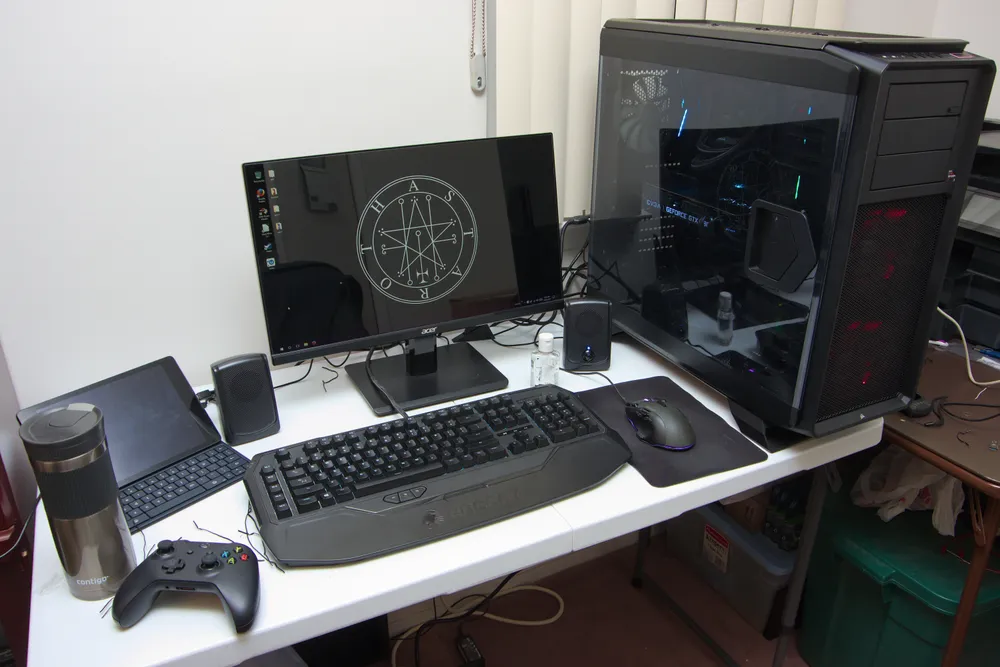
RTX 5060 vs RTX 4060 — Should You Wait for RTX 5000?
The answer is now clear: buy RTX 5060 if your budget allows.
Reasons:
- ~25–30% faster at the same 80W TGP in modern DirectX 12 titles
- VRAM: 8GB GDDR7 vs 8GB GDDR6 — GDDR7's higher bandwidth helps in memory-intensive games
- DLSS 4 Multi Frame Generation — generates multiple frames per rendered frame, dramatically boosting frame rates in supported titles
- RTX 5060 starts at ฿35,990 (LOQ 15); RTX 4060 sits at ฿28,000–32,000 — a gap of ฿4,000–8,000
Exception: If your budget is genuinely capped at ฿28,000–30,000, an RTX 4060 at a discounted price is still a strong value buy for the next 2–3 years.
Budget Guide — Direct Recommendations
 ภาพ: Benlisquare — CC BY-SA (wikimedia)
฿25,000–30,000: ASUS TUF Gaming A15 (RTX 4050, ~฿27,990) Great for Thailand's most popular titles: RoV, PUBG, Valorant, Free Fire, Genshin Impact. Not recommended for Ultra-settings AAA gaming.
฿30,000–40,000: Lenovo LOQ 15 Gen 11 (RTX 5060, ฿35,990) The best GPU-for-money in 2026 at this tier. Clear recommendation.
฿40,000–50,000: Lenovo Legion 5 2026 (RTX 5060 OLED, ฿48,990) or ASUS TUF A16 (฿44,990) Choose Legion 5 for the stunning OLED panel; TUF A16 for MIL-SPEC durability.
฿50,000–60,000: Acer Predator Helios Neo 16 (RTX 4070, ฿52,990) Highest TGP for sustained heavy gaming.
฿60,000–90,000: ASUS ROG Strix G16 2026 RTX 5060 (฿78,990) — best value at this tier. RTX 5070 version (฿86,990) only if you need maximum performance for 4K or professional creative work.
Common Mistakes When Buying a Gaming Laptop
1. Looking at GPU model without checking TGP An RTX 5060 at 40W and 80W deliver very different real-world performance. Some listings advertise the GPU model without disclosing TGP — always look it up.
2. Buying 8GB RAM to save money 2026 games regularly require 12–16GB. Don't do this. Upgrading laptop RAM later costs more than buying 16GB upfront.
3. Not accounting for SSD size 512GB fills quickly (one AAA game = 50–150GB). Plan to add an M.2 SSD — they're affordable and easy to self-install in most gaming laptops.
4. Expecting ultrabook battery life All laptops in this list deliver 3–5 hours on battery in normal (non-gaming) use. During gaming: 1–2 hours. This is fundamental to gaming laptop design — if you need 8-hour battery, you need a different category of laptop.
5. Not testing the display in-store Panel quality varies significantly even within IPS/VA/OLED categories. If possible, view the actual display before purchase.
6. Skipping a cooling pad In Thailand's heat, a cooling pad (฿300–800) reduces GPU temperatures by 5–10°C, noticeably improving sustained performance. Buy it at the same time as the laptop.
Maintaining Your Gaming Laptop for Longevity
A gaming laptop is a multi-thousand baht investment. Proper maintenance extends the lifespan to 4–6 years:
Cooling:
- Always use on a hard flat surface — never on bedding that blocks vents
- Blow out dust with compressed air every 6 months
- Replace thermal paste every 2–3 years (a local IT shop charges ฿300–500)
Battery:
- Avoid charging to 100% every night indefinitely — this accelerates degradation
- Use your laptop's Battery Care mode (ASUS, Lenovo, Acer all have one) to cap charging at 80% when regularly plugged in
Software:
- Keep GPU drivers updated via GeForce Experience or AMD Software
- Disable unnecessary startup programs to reduce background load
- Monitor temps with HWiNFO or MSI Afterburner to catch problems early
Verdict — Best Gaming Laptop 2026 in Thailand
The recommendations are clear:
Under ฿30,000: ASUS TUF Gaming A15 (RTX 4050) — durable, great for popular Thai games
฿35,000–40,000: Lenovo LOQ 15 Gen 11 (RTX 5060) — best GPU-for-baht in this tier
฿43,000–50,000: Lenovo Legion 5 2026 (RTX 5060 OLED) — undisputed best value overall, wins on every axis at this price
฿78,000–87,000: ASUS ROG Strix G16 2026 (RTX 5060) — best premium; no need for the RTX 5070 variant unless you run 4K workloads
If you're comparing to a desktop GPU setup — a gaming laptop makes sense for portability and space constraints. For home-only gaming, desktop builds deliver more performance per baht.
For students deciding between a gaming laptop and a study-focused machine, our student laptop guide 2026 compares the two approaches in detail.
Sources
- notebookspec.com — Gaming Laptop Charts 2026
- ASUS ROG Thailand — ROG Strix G16 2026
- Advice Thailand — ASUS TUF Gaming A16 FA608
- notebookspec.com — Lenovo LOQ 15IRX10 RTX 5060 Review
- Lenovo Thailand — Legion Series
- store.acer.com/th-th — Nitro Gaming
- Dave2D YouTube — These 2026 Gaming Laptops Are AMAZING!
Frequently asked questions
- RTX 5060 vs RTX 4060 laptop — is it worth upgrading to the RTX 5000 series?
- Yes, at this point it's clear-cut. The RTX 5060 uses Blackwell architecture with 8GB GDDR7 (faster memory bandwidth than GDDR6), and at the same 80W TGP it's roughly 25–30% faster in modern DirectX 12 titles. Prices start at ฿35,990 for the LOQ 15, vs ฿28,000–32,000 for RTX 4060 — a gap of ฿4,000–8,000. Given the performance improvement and DLSS 4 support, RTX 5060 is the better long-term investment if your budget allows.
- What are the minimum specs for a decent gaming laptop in 2026?
- For 2026, recommended minimum specs are: GPU RTX 4050 or better, 16GB DDR5 RAM (don't buy 8GB), 512GB NVMe SSD, 144Hz IPS FHD display or better. If budget permits, RTX 5060 + 16GB DDR5 + 1TB SSD will remain relevant for 3–5 years without needing an upgrade. Most popular games in Thailand (RoV, PUBG, Valorant, Free Fire) run fine on RTX 4050; for AAA titles you'll want RTX 5060 minimum.
- Should I choose FHD or QHD display on a gaming laptop?
- It depends on your GPU. With RTX 4050–5060 at mid-range budgets, FHD 144–165Hz is ideal — the GPU will push consistent high frame rates at FHD more smoothly. With a full-power RTX 5060 (80W+) or RTX 5070, QHD is very playable and the sharper image is noticeable, especially on 16-inch screens. For esports titles (Valorant, CS2) even FHD at 240Hz is more valuable than QHD at lower frame rates.
- Can I use a gaming laptop for work and studying too?
- Absolutely. Gaming laptops have specs that far exceed regular work laptops — they handle video editing, Photoshop, 3D rendering, and coding with ease. The tradeoff is weight (2.0–2.5 kg vs 1.3–1.8 kg for ultrabooks) and shorter battery life when away from a power outlet. If you carry the laptop daily, pick a lighter model like the MSI Thin or ASUS TUF A16 (under 2.2 kg). Most gaming laptops today get 3–5 hours on battery with normal (non-gaming) use.
- Where is the best place to buy gaming laptops in Thailand?
- Trusted retailers in Thailand include JIB Computer (jib.co.th), Advice IT Infinite, BNN Thailand, iStudio, Power Buy, and official brand stores (ASUS Store, Lenovo Store TH, Acer Store). Compare prices at notebookspec.com first, then check official Shopee/Lazada stores for promotions which sometimes beat offline prices. Avoid unknown third-party sellers without warranty.
- My gaming laptop gets very hot — is something wrong?
- This is normal for gaming laptops under full load. In Thailand's climate it's even more noticeable. Solutions: (1) Always use on a hard surface — never on a bed or pillow that blocks vents; (2) A cooling pad (฿300–800) can reduce GPU temps by 5–10°C; (3) Replace thermal paste every 2–3 years; (4) Clean the fans yearly with compressed air. Acceptable temps under gaming load: CPU 85–95°C, GPU 75–85°C. If temps exceed these consistently, clean the dust first.
Related articles

Best Game Consoles to Buy in 2026: PS5 vs Nintendo Switch 2 vs Xbox
PS5 vs Nintendo Switch 2 vs Xbox Series X|S in 2026 — Thai prices, specs, exclusive games, subscription costs, and which console fits you.

AIS vs True vs NT 2026: Which Thai Mobile Network Should You Pick?
Compare AIS, True (merged with dtac) and NT in 2026 — postpaid prices, prepaid/annual SIMs, 5G speed, coverage, plus how to switch networks and keep your number.

iPhone 18 Series 2026: Price, Specs Before Sept 9 Launch
Every leak on the iPhone 18 Pro, Pro Max, and iPhone Fold before Apple's Sept 9 event: predicted Thailand pricing, the A20 chip, and buy-now-or-wait advice