10 Best Smart TVs for Watching the 2026 FIFA World Cup: Size, Tech & Budget Guide

The 2026 FIFA World Cup kicked off on June 11 and runs through the Final on July 19 — 104 matches across stadiums in the USA, Canada, and Mexico. Many Thai households are shopping for a new TV to make the experience as immersive as possible. But walk into any electronics store and the sheer number of options can be overwhelming: "What size?", "What's the difference between OLED and QLED?", "Is a mid-range TV good enough?"
This guide answers all of that clearly — where to watch legally in Thailand, what specs actually matter for sports, how to pick the right screen size for your room, and 10 specific TV recommendations covering every budget from ฿5,990 to ฿55,000+.
How to Watch the World Cup 2026 in Thailand
Before buying a TV it's worth knowing your viewing source, since it affects the picture quality ceiling.
MONOMAX — All 104 matches (subscription required) JAS (Jasmine International) secured exclusive broadcasting rights in Thailand and streams every match through the MONOMAX platform. The app is available natively on most major Smart TV brands. Existing subscribers pay nothing extra; new subscribers can sign up for an annual plan at approximately ฿6,490 covering the full tournament plus the year-round content library. Streams reach Full HD quality, with select key matches available in 4K HDR.
Mono29 (Channel 29) — 17 matches free MONOMAX shares rights with Mono29, which broadcasts 17 group-stage matches plus the Final free-to-air via digital TV (DVB-T2). No subscription needed — just a DVB-T2 antenna and any TV with a built-in digital tuner.
Avoid unofficial streaming sites — illegal, malware risk, and the stream is almost always lower quality with annoying buffering.
Key Specs That Matter for Watching Sports
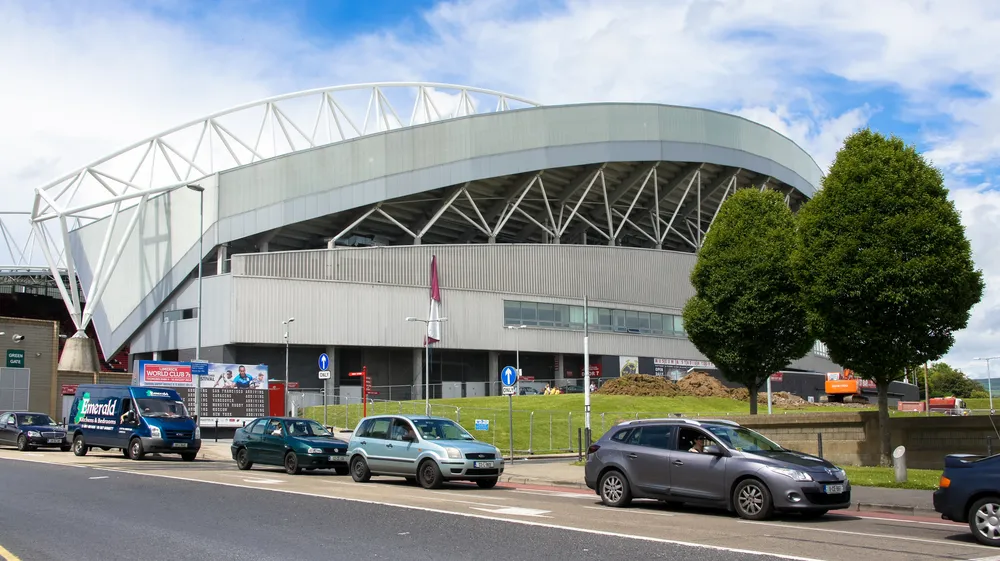 Photo: Wikimedia Commons — CC, illustrative
| Spec | Why It Matters for Sports |
|---|---|
| Refresh Rate (Hz) | 120Hz makes player movement and ball flight smoother; 60Hz can look blurry in fast sequences |
| Motion Technology | MEMC / VRR smooths fast action, especially from online streams |
| HDR (Dolby Vision / HDR10+) | Makes pitch grass vivid green and stadium floodlights crisp without blooming |
| Brightness (nits) | Higher brightness wins in lit rooms — aim for 400–500 nit minimum |
| Screen Size | Bigger = more immersive, but must match your seating distance |
| Smart TV OS | Google TV, Tizen, or webOS all support the MONOMAX app natively |
| Wi-Fi standard | Wi-Fi 5 (802.11ac) or better for smooth Full HD / 4K streaming |
Tip: For MONOMAX streaming, your home internet should deliver at least 25 Mbps for Full HD and 50 Mbps for 4K to avoid mid-match buffering. See our Best Wi-Fi Routers 2026 guide if you need an upgrade. Planning to game on the new TV too? Pair it with the right console — see Best Game Consoles 2026: PS5 vs Switch 2 vs Xbox.
Choosing the Right Screen Size for Your Room
The right size transforms the experience; too big strains your eyes, too small kills the atmosphere.
Simple formula:
Seating distance (cm) ÷ 2.5 = recommended screen size (inches) Example: sofa 250 cm from the wall → 250 ÷ 2.5 = 100 (check again…) — for 4K you can sit closer: distance ÷ 1.5
4K TVs allow closer seating because pixels are so fine you can't see individual dots at normal viewing distances:
| Screen Size | FHD Viewing Distance | 4K Viewing Distance | Best For |
|---|---|---|---|
| 40–43 inches | 1.5–2 m | 1–1.5 m | Bedrooms, small rooms ≤12 m² |
| 50–55 inches | 2–2.8 m | 1.5–2 m | Medium living rooms 15–25 m² |
| 65 inches | 2.5–3.5 m | 2–2.5 m | Large living rooms 25+ m² |
| 75 inches + | 3–4.5 m | 2.5–3 m | Home theatre, large reception rooms |
Rule of thumb: when choosing between two sizes, go bigger. Most people regret buying too small; almost nobody regrets buying too large.
Display Technology: Which Panel Type Should You Choose?
| Technology | Strengths | Weaknesses | Approx. Price Range |
|---|---|---|---|
| Standard LED | Cheapest | Limited HDR, light bleed | ฿5,000–12,000 |
| QLED (Quantum Dot) | Vivid bright colors, better HDR | Still some backlight bleed | ฿8,000–30,000 |
| Mini-LED / QD-Mini LED | Dense local dimming zones, excellent HDR | Higher cost than regular QLED | ฿16,000–50,000 |
| OLED | Perfect blacks, infinite contrast | Most expensive, burn-in risk | ฿40,000–120,000+ |
For sports: Mini-LED delivers the best value proposition. It's pricier than QLED but HDR on night-match stadium lighting looks dramatically better. OLED is the ultimate picture quality but costs more and carries a static-image burn-in risk (scoreboard logos displayed for hours are a known concern — though modern OLEDs mitigate this with built-in pixel refreshers).
10 Best Smart TVs for the 2026 World Cup
All prices are approximate as of June 2026 and vary by retailer and promotions.
#1 — LG OLED evo C6 55" (OLED55C6PSA): The Undisputed Best
Price: ~฿50,000–65,000 (55") | Available sizes: 55 / 65 / 77"
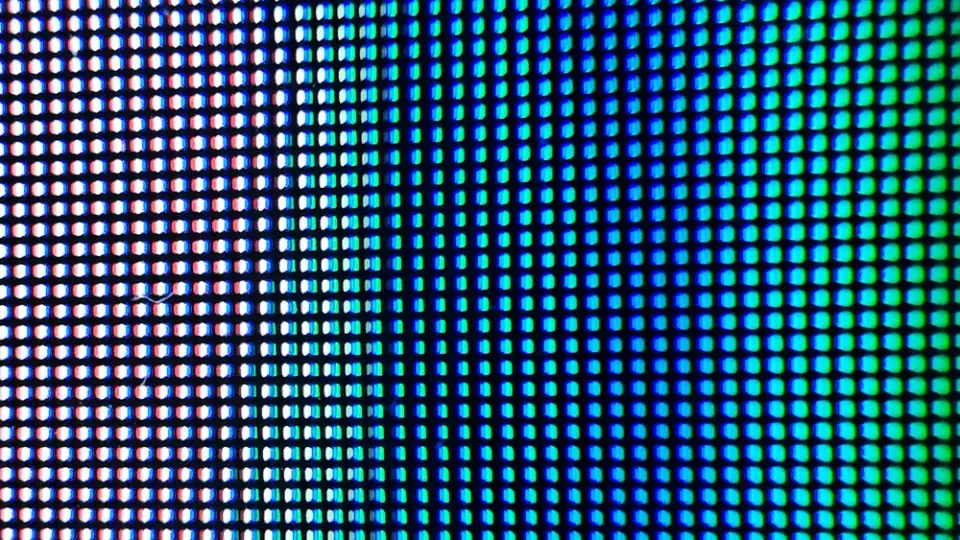 Photo: TECH_EDU — CC BY-SA 4.0 via Wikimedia Commons
The 2026 LG OLED C6 uses a new OLED evo panel with Brightness Booster technology that addresses the historical dimness issue of OLED screens. Combined with the α9 AI Gen 8 Processor (CPU +1.7×, GPU +2.1× vs. previous gen), picture processing is class-leading — AI Upscaling, automatic picture/sound optimization by content type, and genuine Native 120Hz (not simulated). Four HDMI 2.1 ports with VRR, G-Sync, and FreeSync complete the package.
For sports watching specifically: perfect black levels reveal detail in stadium shadows at night; 178° wide viewing angles mean everyone in the room sees accurate colours; webOS 25 supports MONOMAX and every major streaming app.
Pros: Best picture quality available, true native 120Hz, wide viewing angles
Cons: Most expensive on this list, burn-in risk from static scoreboard images if displayed for hours
Best for: Anyone who wants a cinema-grade football experience with budget flexibility (฿50,000+)
#2 — Sony Bravia 5 K-55XR50 Mini-LED 55": Cinema-Grade Picture
Price: ~฿32,990–35,790 | Available sizes: 55 / 65"
Sony's Bravia 5 uses a Mini-LED backlight paired with the XR Processor, which analyses colour and brightness together (Cross-Analyse) rather than separately — resulting in one of the market's best motion handling performances. Fast sprints and ball trajectories stay sharp rather than blurring. Full Dolby Vision and Dolby Atmos support means both picture and sound are calibrated together. Google TV supports MONOMAX natively.
Priceza currently shows the lowest price at ฿32,990 (roughly 25% off the original ฿43,990 MSRP), making the value-per-picture-quality ratio excellent at this price.
Pros: Outstanding motion handling, Dolby Vision + Atmos, Google TV with full app support
Cons: Still pricier than QLED alternatives, not all HDMI ports are 2.1
Best for: Serious picture-quality buyers, budget ฿30,000–38,000
#3 — TCL 55Q6C QD-Mini LED 55": The Sports TV Value Champion
Price: ~฿16,000–17,000 | Available sizes: 55 / 65 / 75"
The TCL 55Q6C is the value disruptor at the mid-range tier. Its QD-Mini LED panel (Quantum Dot + Mini-LED backlight) delivers 312+ local dimming zones — meaning stadium floodlights and pitch colours pop with genuine HDR precision, at a price where competitors still sell regular QLED. At 144Hz native refresh rate, the fastest free kicks and sprints stay crystal clear. The 2.1 channel ONKYO Hi-Fi sound system (40W) is a welcome bonus over typical TV speakers.
Price-to-spec ratio: there's no other 55" TV on the Thai market combining QD-Mini LED + 144Hz + Google TV at this price point.
Pros: QD-Mini LED with 144Hz at ~฿16k, excellent HDR for the price, full Google TV
Cons: Less established brand than Samsung/Sony, slightly higher input lag than Sony
Best for: Anyone who wants the best sports TV per baht — this is the standout pick on the entire list
#4 — Samsung QLED QA65Q7F 65": Big Screen QLED at an Accessible Price
Price: ~฿22,990 | Size: 65"
For households that want a 65" screen for family World Cup viewing, the Samsung Q7F delivers QLED colour vibrancy with Neo Quantum HDR that makes stadium highlights pop clearly. Tizen OS is Samsung's most stable and consistently updated platform, with guaranteed long-term software support. The Q-Symphony feature combines TV and Samsung Soundbar audio into a unified system — ideal if you plan to add a soundbar later.
At ~฿22,990 for a 65" QLED, price-per-inch value is strong. The trade-off versus the TCL 55Q6C is fewer dimming zones and a lower refresh rate, but 65" screen real estate compensates meaningfully.
Pros: 65" QLED at an accessible price, rock-solid Tizen OS, Q-Symphony ecosystem
Cons: Standard dimming zones (not Mini-LED density), check refresh rate spec carefully before buying
Best for: Families wanting 65" + Samsung ecosystem, budget ฿20,000–25,000
#5 — HAIER H65S80EUX QLED 65" 120Hz: The Surprise 65" Pick
Price: ~฿16,490 | Size: 65"
The HAIER H65S80EUX is the list's surprise entry — a 65" QLED TV with genuine 120Hz and HDMI 2.1 + VRR/ALLM at just ~฿16,490, specs that normally appear on TVs costing ฿25,000+. QLED picture quality is vibrant and bright; pitch grass looks satisfyingly green. Google TV supports MONOMAX and all major streaming platforms.
The trade-off is brand recognition: HAIER is less established in Thailand than Samsung/LG/Sony, with fewer service centres. But for a buyer prioritising 65" + 120Hz on a tight budget, this is difficult to pass up.
Pros: 65" QLED + 120Hz + HDMI 2.1 VRR at ~฿16k
Cons: Fewer service centres, less brand recognition in Thailand
Best for: 65" + 120Hz on a tight budget of ฿15,000–17,000, brand flexibility acceptable
#6 — Samsung Crystal UHD U8000F 55": The Reliable Mainstream Pick
Price: ~฿14,990–17,990 | Available sizes: 43 / 50 / 55 / 65"
The Samsung Crystal UHD U8000F is the market's best-selling mid-range TV for good reason: reliable Samsung build quality, Crystal Processor 4K, Knox Security (malware protection baked into the Smart TV), and Tizen OS with consistent long-term updates. HDR 10+ Adaptive automatically adjusts HDR intensity based on room ambient brightness — perfect for rooms that vary from bright afternoon to dark evening during a match.
The main limitation versus the TCL 55Q6C is the standard LED backlight rather than Mini-LED, meaning fewer local dimming zones and weaker HDR contrast. But if after-sales service and brand trust are priorities, Samsung is the answer.
Pros: Samsung brand trust, nationwide service network, stable Tizen OS
Cons: Standard LED (not Mini-LED), similar price to the TCL 55Q6C but lower HDR spec
Best for: Brand and service-focused buyers, budget ฿14,000–18,000
#7 — Aconatic 65US410AN 65": Incredible 65" Value
Price: ~฿10,990 | Size: 65"
Aconatic (a Thai brand under the Central Group) has built a reputation for delivering large screens at unusually low prices. The 65US410AN is a 65" 4K LED TV for just ~฿10,990 — the lowest price-per-inch on this entire list. It supports Netflix 5.3 directly (some older Aconatic models had Netflix version issues, which this resolves), and Google TV ensures MONOMAX works without issue.
The limitations are honest: HDR isn't as strong as Mini-LED TVs, and the 60Hz refresh rate means fast ball sequences won't look as smooth as 120Hz options. In a room with normal ambient lighting it's a compelling way to get 65 inches into your World Cup setup for under ฿11,000.
Pros: Cheapest 65" 4K on the list, Netflix 5.3 native, Google TV
Cons: Standard LED HDR, 60Hz, less international brand recognition
Best for: 65" on a budget below ฿12,000, free-to-air + MONOMAX usage
#8 — TCL 43V6C 43": The Best 43" for Sports
Price: ~฿7,040 | Available sizes: 43 / 50 / 55"
Among 43" TVs, the TCL 43V6C stands out with MEMC technology (Motion Estimation / Motion Compensation) that smooths fast-action scenes — the key differentiator for sports vs. a standard 43" budget TV. The HVA panel offers slightly wider viewing angles than typical IPS. Google TV supports all major streaming apps including MONOMAX. At ~฿7,040 for a 43" 4K TV with MEMC, the value for a bedroom or smaller secondary viewing room is strong.
Pros: MEMC motion smoothing at this price, Google TV, 4K
Cons: 60Hz native, 43" is too small for large living rooms
Best for: Bedrooms and dining rooms, seating distance 1.5–2 m, budget ฿6,500–8,000
#9 — Hisense 43E6Q 43": Best Budget 4K with AI Upscaling
Price: ~฿6,921 | Available sizes: 43 / 50 / 55"
The Hisense 43E6Q pairs an AI 4K Upscaler with DTS Virtual:X audio processing to make the TV's built-in speakers sound more spacious — useful if you're not planning to add a separate soundbar. At ~฿6,921 for a 43" 4K TV it represents genuine value. Motion technology is marginally behind the TCL 43V6C, but for casual free-to-air or MONOMAX viewing in a bedroom the price saving is worth it.
Pros: AI 4K Upscaling, DTS Virtual:X audio, competitive ฿6,921 price
Cons: Motion tech slightly below TCL 43V6C
Best for: Bedrooms, budget ฿6,000–7,500, no separate soundbar
#10 — TCL 40V5C 40": Budget Entry with Real QLED
Price: ~฿5,990 | Size: 40"
The most affordable entry on this list — TCL 40V5C is a genuine QLED panel (not standard LED), Full HD, Google TV, Dolby Audio, and a frameless design at just ฿5,990. A 40" screen suits rooms where seating is 1.5–1.8 m away (a 10–12 m² bedroom). Free-to-air Mono29 and MONOMAX both work without issue.
Pros: Cheapest pick with real QLED, Google TV, clean frameless design
Cons: Full HD (not 4K), 40" too small for most living rooms
Best for: Small bedrooms, budget under ฿6,500
All 10 Models Side-by-Side
| Model | Size | Panel | Hz | Approx. Price |
|---|---|---|---|---|
| LG OLED C6 | 55" | OLED evo | 120Hz | ~฿55,000 |
| Sony Bravia 5 K-55XR50 | 55" | Mini-LED | 120Hz | ~฿34,990 |
| TCL 55Q6C | 55" | QD-Mini LED | 144Hz | ~฿16,500 |
| Samsung QLED QA65Q7F | 65" | QLED | 60Hz | ~฿22,990 |
| HAIER H65S80EUX | 65" | QLED | 120Hz | ~฿16,490 |
| Samsung Crystal UHD U8000F | 55" | Crystal LED | 60Hz | ~฿15,990 |
| Aconatic 65US410AN | 65" | LED | 60Hz | ~฿10,990 |
| TCL 43V6C | 43" | LED+MEMC | 60Hz | ~฿7,040 |
| Hisense 43E6Q | 43" | LED | 60Hz | ~฿6,921 |
| TCL 40V5C | 40" | QLED | 60Hz | ~฿5,990 |
Setting Up MONOMAX on Your Smart TV in 5 Steps
Once your new TV is set up:
- Connect to Wi-Fi — use the 5 GHz band if your router supports it for less buffering vs. 2.4 GHz
- Find the MONOMAX app in your TV's app store (Google Play / Samsung App Store / LG Content Store)
- Subscribe or sign in — new subscribers: ~฿6,490/year for full World Cup + year-round content
- Go to Live → MONOMAX Sports → select your match from the broadcast schedule
- Switch Picture Mode to "Sports" or "Vivid" for punchier colours and automatic motion smoothing
For Mono29 free-to-air: connect a DVB-T2 digital antenna → scan channels → select Channel 29. No subscription required.
💡 Electricity tip: Large TVs draw noticeable power — a 65" LED TV can consume 100–150W per hour. Check our Home Electricity Saving Guide 2026 for easy ways to manage your overall bill.
Common Mistakes When Buying a Sports TV
1. Trusting "120Hz" marketing without checking Native vs. Effective "120Hz" on packaging may mean 60Hz native + motion interpolation software, not true native 120Hz. Confirm the native panel refresh rate in the spec sheet.
2. Ignoring seating distance Many buyers get 65" for a small room where they sit just 1.5 m from the screen — the result is eye strain. Use the formula: seating distance (cm) ÷ 2.5 = ideal size (inches).
3. Not verifying the MONOMAX app is available Budget TVs running niche operating systems may not have MONOMAX in their app store. Confirm before buying that the TV's platform (Google TV / Tizen / webOS) has the app available.
4. Buying 4K and ignoring refresh rate and HDR A 4K resolution at 60Hz with basic HDR will look worse on sports than a well-tuned Full HD set at 120Hz with solid HDR. Resolution is not everything.
5. Buying OLED and running static scoreboards for hours OLED is susceptible to burn-in from static images held for extended periods (like a persistent scoreboard). Modern OLEDs have built-in Pixel Refresher routines — use them. Or choose Mini-LED if this is a concern.
6. Not testing Wi-Fi signal strength at the TV location Wi-Fi strength at the TV's position may be weaker than expected. Test actual internet speed there before buying; consider a wired LAN cable or a Wi-Fi extender if signal is poor.
Verdict: Which Smart TV Should You Buy for the World Cup?
 Photo: Futbolero — CC BY-SA (wikimedia)
| Budget | Recommended | Why |
|---|---|---|
| ≤ ฿7,000 | TCL 43V6C | Best MEMC motion at this price |
| ≤ ฿11,000 | Aconatic 65US410AN | 65" 4K for under ฿11k is remarkable |
| ≤ ฿17,000 | TCL 55Q6C QD-Mini LED | Best value on this list — Mini-LED 144Hz |
| ≤ ฿25,000 | Samsung QLED QA65Q7F 65" | 65" QLED for long-term reliability |
| ≤ ฿36,000 | Sony Bravia 5 K-55XR50 | Mini-LED with exceptional motion |
| No limit | LG OLED C6 | Undisputed best picture quality |
Single recommendation for most buyers: The TCL 55Q6C QD-Mini LED at ~฿16,500 is the standout value pick — a Mini-LED TV with 144Hz that competes with sets costing twice as much. If brand trust and service network matter more than raw specs, the Samsung Crystal UHD U8000F is the reliable mainstream choice.
The World Cup runs through July 19 — there's still time to get set up before the knockout rounds heat up. For a genuine audio upgrade, a soundbar with wireless subwoofer makes the single biggest improvement to any TV setup — crowd noise and commentary clarity are transformed. For casual portable listening, a Bluetooth speaker also works well alongside the TV. Or, if you want a 100+ inch screen that no TV in the same budget can match, read our 2026 World Cup projector guide before deciding.
Sources
- mybest Thailand — Smart TV Recommendations 2026
- mybest Thailand — 4K TV Rankings 2026
- The Pattaya News — World Cup 2026 Broadcast Rights Thailand
- Priceza Thailand — Sony K-55XR50 Price
- LG Thailand — OLED C6 Specifications
- Kapook Tech — Smart TV Recommendations 2026
- Iconic Thailand — LG vs Samsung vs TCL Comparison 2026
Frequently asked questions
- Which channels broadcast the 2026 FIFA World Cup free in Thailand?
- Mono29 (Channel 29) broadcasts 17 matches free-to-air during the group stage plus the Final. All 104 matches are available on MONOMAX (approx. ฿6,490/year for new subscribers).
- What TV size is best for watching the World Cup in a living room?
- It depends on seating distance. For 2–2.5 m away, 55 inches is ideal. For 2.5–3.5 m, go with 65 inches. Simple formula: seating distance (cm) ÷ 2.5 = ideal screen size (inches).
- OLED vs QLED for sports — which is better?
- OLED offers perfect blacks and wide viewing angles, best in dark rooms. QLED is significantly brighter, making it better for sunlit or well-lit rooms. For daytime football viewing QLED has an edge; for evening in a dark room OLED wins on picture quality.
- Is 120Hz refresh rate important for watching football?
- Very. 120Hz makes player movement and ball trajectory visibly smoother than 60Hz, especially in fast sprints, penalty kicks, and free kicks. Most mid-to-high-range 2026 TVs already feature native 120Hz.
- Does a Smart TV need 4K to watch MONOMAX?
- MONOMAX streams up to Full HD for most matches and 4K for select fixtures. A 4K TV will upscale Full HD nicely, but a Full HD TV still delivers an enjoyable picture. Since more content is moving to 4K each year, investing in 4K now future-proofs your purchase.
- Can a ฿5,000–8,000 TV give a good World Cup experience?
- Yes, especially for a bedroom or smaller room where you sit 1.5–2 m from the screen (choose 43 inches). The trade-offs are 60Hz (slight blur in fast sequences) and limited HDR, but football is still very watchable and enjoyable.
Related articles
AIS vs True vs NT 2026: Which Thai Mobile Network Should You Pick?
Compare AIS, True (merged with dtac) and NT in 2026 — postpaid prices, prepaid/annual SIMs, 5G speed, coverage, plus how to switch networks and keep your number.
iPhone 18 Series 2026: Price, Specs Before Sept 9 Launch
Every leak on the iPhone 18 Pro, Pro Max, and iPhone Fold before Apple's Sept 9 event: predicted Thailand pricing, the A20 chip, and buy-now-or-wait advice
iPhone 17 vs Samsung Galaxy S26 2026: Which Flagship Is Worth It
Full comparison of the iPhone 17 lineup vs Samsung Galaxy S26 series: Thailand pricing, display, chip, camera, battery, AI, and which resells for more.