Choosing a Wi-Fi router 2026: is Wi-Fi 7 worth it vs Wi-Fi 6 + whole-home mesh

Slow home internet, laggy games, or Wi-Fi that drops out often isn't your plan — it's the router. And in 2026 the question has shifted, because Wi-Fi 7 (the 802.11be standard) has gone mainstream and dropped in price to under 3,000 baht to start. So it's no longer "is Wi-Fi 6 worth it" but "should I jump straight to Wi-Fi 7, or buy a good Wi-Fi 6 router for better value?" This guide walks through how each Wi-Fi standard differs, who Wi-Fi 7 is actually for, single router vs mesh, matching your home internet speed, and recommended models with Thai prices — so you spend once and get something that lasts.
How Wi-Fi 5, 6, 6E and 7 differ (know before you spend)
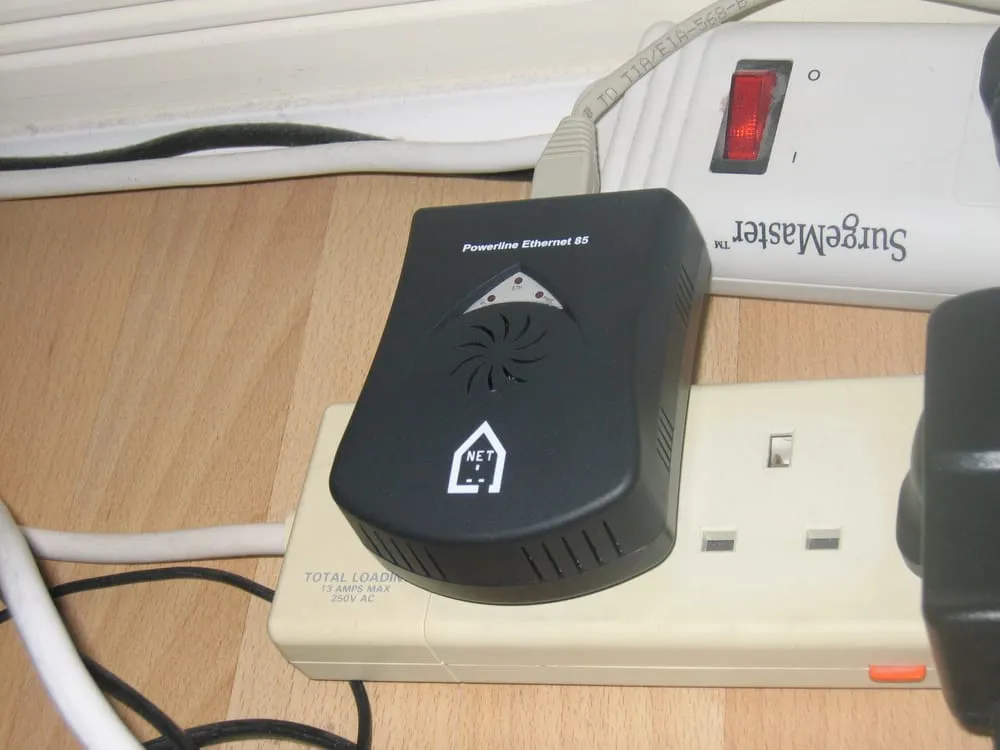 Photo: Tim Walker from United Kingdom — CC BY (wikimedia)
A new Wi-Fi standard arrives roughly every 4–5 years, and each one isn't just "faster" — what really changes is the ability to handle many devices at once and stability, which matter more than peak speed for a typical home with phones, TVs, cameras and smart appliances — dozens of devices connected together.
| Standard | Year | Bands | Strength | Best for |
|---|---|---|---|---|
| Wi-Fi 5 (ac) | 2014 | 5GHz | Cheapest, just okay | Few devices, very tight budget |
| Wi-Fi 6 (ax) | 2019 | 2.4 + 5GHz | Stable with many devices (OFDMA) | Typical homes, ≤ 500Mbps |
| Wi-Fi 6E | 2021 | 2.4 + 5 + 6GHz | Adds a clear 6GHz band, less interference | Condos with crowded airwaves |
| Wi-Fi 7 (be) | 2024 | 2.4 + 5 + 6GHz | 320MHz + MLO + 4096-QAM, fastest/lowest latency | 1–2Gbps internet, gaming, many devices |
A common misconception is "newer is always necessary." In reality, Wi-Fi 6 — out since 2019 — still serves most homes comfortably in 2026, because it already handles many simultaneous devices well and plays nicely with older gear (Wi-Fi 4/5) without dragging the whole network down. Newer Wi-Fi 7 only shows a clear benefit when the whole chain is ready: fast enough internet + supported devices + genuinely bandwidth- or latency-hungry usage.
What's new in Wi-Fi 7 — real gains or just marketing numbers?
 Photo: Slick — CC0 (Wikimedia Commons)
Wi-Fi 7's theoretical peak is around 46 Gbps, roughly 4.8× Wi-Fi 6. That figure is a lab ceiling you'll never actually hit, but the technology behind it delivers three real day-to-day benefits:
- Wider 320MHz channels (up from 160MHz) — like widening a 2-lane road to 4 lanes, moving more data per pass, working at full width on the clear 6GHz band.
- MLO (Multi-Link Operation) is the real star of Wi-Fi 7 — a device connects to multiple bands at once (e.g. 5GHz + 6GHz) instead of picking one. That cuts latency and boosts stability; if one band gets interference, the other carries on. Great for online gaming and video calls that fear stutters.
- 4096-QAM packs about 20% more data per signal when you're close to the router with a strong signal.
In short, Wi-Fi 7 isn't just "pretty speed numbers" — its strengths are low latency and stability with many devices, which you genuinely feel when gaming, streaming 4K/8K, or when several people in the house hammer the network at once.
Is Wi-Fi 7 worth it in 2026? Who should upgrade, who shouldn't
The good news: the "early-adopter tax" on Wi-Fi 7 is gone. Where it once cost 30–80% more than Wi-Fi 6E, entry-level Dual-band models now run about ฿2,880–3,200 — some even cheaper than mid-to-high Wi-Fi 6 routers. So the only real question is whether your devices and usage are ready to use it.
| Situation | Recommendation |
|---|---|
| 1–2Gbps internet + want it to last 5+ years | Wi-Fi 7 for the future |
| Regular online gaming / video calls (need low latency) | Wi-Fi 7 (MLO genuinely helps) |
| 15–30+ devices, smart home | Wi-Fi 7 or Wi-Fi 6E |
| ≤ 500Mbps internet, few devices, tight budget | Wi-Fi 6 is better value |
| Lots of old/IoT gear, want stability + compatibility | Wi-Fi 6 (handles legacy better) |
| Small condo, general streaming/work | A single Wi-Fi 6 router is plenty |
A point network pros keep repeating: "anything past 100Mbps is enough for general use, and beyond 300–500Mbps the extra speed rarely makes a difference in practice unless you copy big files locally." So before paying extra for Wi-Fi 7, ask whether you'll actually use its capabilities. If the answer is "not yet," a good Wi-Fi 6 router is the smarter use of money.
Single router vs mesh — choose by home size
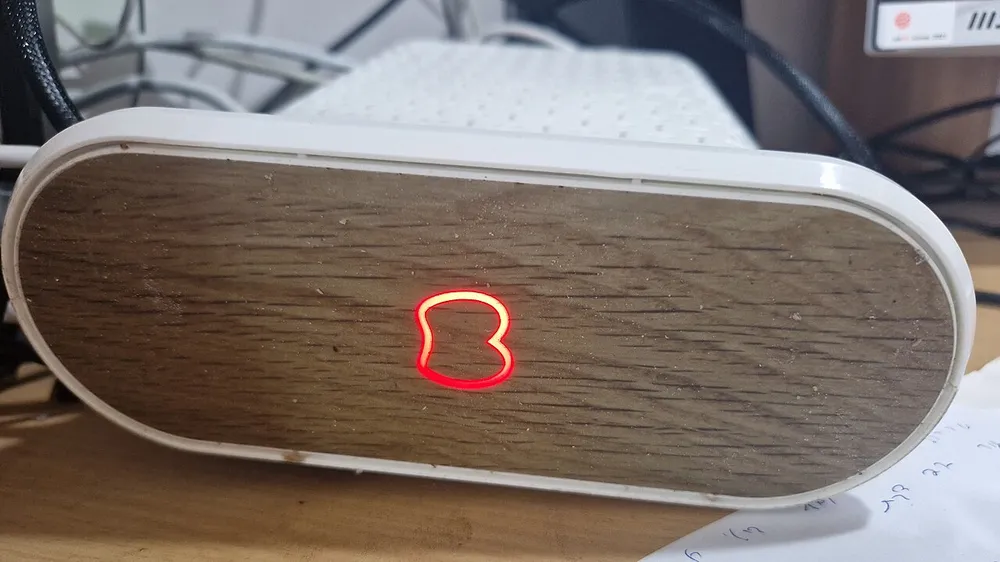 Photo: Hanay — CC BY-SA 4.0 (Wikimedia Commons)
What decides single router vs mesh isn't speed — it's your space and layout. However powerful, a single router weakens as it pushes signal through several concrete walls, whereas mesh uses multiple nodes to spread coverage continuously and hand devices over automatically without you switching Wi-Fi names.
| Type | Best for | Notes |
|---|---|---|
| Single router | Condo/small single-floor home ≤ 80–100 sqm | Cheaper, easy to set up, but dead spots are hard to fix |
| Mesh (2–3 nodes) | 2+ storeys/large/dead-spot homes | Seamless whole-home coverage, but pricier and nodes must reach each other |
A point many people miss is backhaul — the channel mesh nodes use to talk to each other. A Dual-band mesh shares the same band devices use, so speed drops as you add nodes. A Tri-band system reserves one band (often 6GHz or a second 5GHz) just for backhaul, so speeds hold up across nodes — if your home is large and budget allows, Tri-band mesh is better long term; for medium homes, a cheaper Dual-band mesh is enough.
Match your home internet speed (don't let the router be the bottleneck)
An old or small router is often the "bottleneck" that stops you getting the speed you pay for. This is sharper in 2026 because Thai ISPs now push 1–2Gbps plans as the new normal. For example, AIS Fibre offers a Wi-Fi 7 plan at 2Gbps/1Gbps for about 1,299 baht/month (24-month contract) with a BE22000-class Wi-Fi 7 mesh option — but you only get those speeds if the router also has ports faster than Gigabit (2.5G or more).
Three things to line up:
- WAN/LAN ports: on a plan above 1Gbps you need 2.5G+ ports, or a Gigabit port caps you at 1Gbps no matter how fast the Wi-Fi.
- End devices: the phone/laptop receiving the signal must support the same standard for full speed.
- Wiring: devices that need rock-solid connections (gaming PCs, TVs) are always more stable on a wired LAN cable than on Wi-Fi.
If your home internet is still 300–500Mbps, an expensive Wi-Fi 7 router won't show download-speed gains — you're capped by the plan anyway. That money may be better spent upgrading the plan or buying a good Wi-Fi 6 router.
If your home internet drops often and you want a mobile hotspot as a backup, picking a carrier with strong signal at your address matters just as much — see our AIS vs True vs NT 2026 comparison.
Recommended models + Thai prices (by budget)
The prices below are approximate from Thai retailers, as of June 2026. Actual prices vary with promotions and shops — compare a few places before buying.
| Model | Standard (class) | Bands | Approx. price | Best for |
|---|---|---|---|---|
| TP-Link Archer BE230 | Wi-Fi 7 (BE3570) | Dual-band | ~฿2,880 | Entry/condo, best value |
| Tenda TE6L Pro | Wi-Fi 7 (BE5100) | Dual-band | ~฿3,079 | Budget, higher spec |
| ASUS TUF Gaming BE3600 | Wi-Fi 7 (BE3600) | Dual-band | ~฿3,190 | Budget gamers |
| HUAWEI WiFi Mesh X3 Pro | Wi-Fi 7 (BE5100) | Dual-band | ~฿4,990 | Getting into mesh |
| TP-Link Archer BE550 | Wi-Fi 7 (BE19000) | Tri-band (6GHz) | ~฿9,990 | Big homes / full 6GHz |
| NETGEAR Nighthawk RS600 | Wi-Fi 7 (BE27000) | Tri-band | ~฿21,200 | High-end spec |
| ASUS ROG Rapture GT-BE98 | Wi-Fi 7 (BE25000+) | Quad-band | ~฿26,700 | Serious gaming/multi-gig |
Wi-Fi 6 is still a value pick if you don't need cutting-edge specs: entry models start in the low thousands of baht, while high-spec units like the TP-Link Archer AX6000 (Dual-band with a 2.5G port) run around ฿9,600 — worth it on a promo. But at similar budgets, entry Wi-Fi 7 now makes more sense for longevity.
By budget, in short:
- ~฿3,000: TP-Link Archer BE230 or ASUS TUF BE3600 — genuine Wi-Fi 7 for a condo/small home
- ~฿5,000: step into entry mesh, or a higher-spec Wi-Fi 7 Dual-band
- ~฿10,000: TP-Link Archer BE550 Tri-band with full 6GHz — for large homes/many devices
- No budget limit / serious gaming: NETGEAR RS600 or ASUS ROG GT-BE98 with 10G + multi-gig ports
If you're upgrading the whole house at once, see the 2026 laptop buying guide — most new models already support Wi-Fi 7 — and for phones, iPhone vs Android, which to pick: 2024-and-up flagships support it too.
Price, electricity and long-term value
A router runs 24 hours a day, every day — a cost many forget. A typical home router draws about 10–20 watts (mesh systems or top-end units draw more), which is roughly 40–70 baht a month, or around 500–800 baht a year. That doesn't differ much between models, so it shouldn't be your main deciding factor — but if you're tackling whole-home electricity costs, read how to cut your home electricity bill alongside this.
What matters more is lifespan. A good router typically lasts 4–6 years before it falls behind or stops getting firmware updates. Paying about 3,000 baht extra to move from Wi-Fi 6 to Wi-Fi 7, spread over a 5-year life, is only about 600 baht a year — worthwhile if you plan to upgrade to 1–2Gbps internet and swap your phone/laptop for supported models in that window. In other words, "buying for the future" makes sense when that future arrives within the device's life — not when you're buying for something that may never happen.
Mistakes people make when buying a router
- Over-spec'ing: paying ฿10,000+ for a top-end Tri-band router while living alone in a condo on a 300Mbps plan — most of its capability goes unused.
- Under-spec'ing: saving on a router until it bottlenecks the expensive 1Gbps plan you pay for, so you get less than half the real speed.
- Forgetting device support: buying Wi-Fi 7 but using old phones/laptops, so you only get their standard's speed.
- Ignoring high-speed ports: a 1Gbps+ plan but a router with only Gigabit ports caps you at 1Gbps.
- Hiding the router in a cabinet/behind the TV: surrounding materials and metal block the signal.
- Never updating firmware: missing free security patches and performance improvements.
- Choosing Dual-band mesh for a big home: no dedicated backhaul band, so speeds drop across nodes.
Free setup tips for a stronger signal
Before blaming the router, try these — they often help at no cost:
- Place the router high, central and in the open — not hidden in a cabinet or corner; Wi-Fi radiates in a sphere around it.
- Pick the right band: use 5GHz/6GHz for nearby devices (faster) and 2.4GHz for range or through walls (reaches farther).
- Enable MLO on Wi-Fi 7 if your device supports it, to bond multiple bands at once.
- Keep firmware updated via the app or settings page.
- Split Wi-Fi names by band if you want to pin key devices to the most stable band.
- Run a LAN cable to stationary devices that need stability — gaming PCs, TV boxes.
Verdict: which router should you buy in 2026?
- Condo/small home, ≤ 500Mbps, few devices: a good Wi-Fi 6 router alone is best value — or, for longevity, an entry Wi-Fi 7 Dual-band (~฿2,880).
- Typical home, 1Gbps, many devices/gaming: Wi-Fi 7 Dual-band (e.g. Archer BE230, ASUS TUF BE3600) — good value and future-ready.
- Large/multi-storey with dead spots: choose mesh — Dual-band on a mid budget, Tri-band with a dedicated backhaul for genuinely large homes.
- 2Gbps internet/serious gaming: Tri-band from the Archer BE550 up, with 2.5G/10G ports.
The key is to match the router to your internet, devices and home size — don't buy on peak-speed numbers alone, because the option that fits your real usage is the best value. If your home has several bandwidth-hungry cameras, see the 2026 security camera guide to plan a network that can carry it all. And if you're looking for a new TV to stream the 2026 FIFA World Cup via MONOMAX, our 10 Best Smart TVs for the 2026 World Cup covers screen sizes, panel technology, and picks across every budget.
Prices and models change fast — always compare specs and coverage before buying (price data as of June 2026).
Sources
- Wi-Fi 7 router models and prices in Thailand — notebookspec.com
- AIS Fibre Wi-Fi 7 packages (ais.th)
- Wi-Fi 6 vs Wi-Fi 7 buying guide — Tom's Hardware / Tom's Guide
- Wi-Fi 6 still relevant in 2026 — Dong Knows Tech
- Official specs from router makers (TP-Link, ASUS, NETGEAR)
Frequently asked questions
- How is Wi-Fi 7 different from Wi-Fi 6, and is it worth upgrading?
- Wi-Fi 7 widens channels to 320MHz, adds 4096-QAM, and brings MLO that uses multiple bands at once — so it's faster and far lower latency. Worth it if you have 1–2Gbps internet, game, do video calls, or have many devices and want it to last 5+ years. If your plan is under 500Mbps with few devices, Wi-Fi 6 is still plenty.
- If my internet is under 1Gbps, is Wi-Fi 7 useful?
- Somewhat — lower latency and better handling of many simultaneous devices — but download speed is still capped by your plan. On a tight budget with a slower plan, a good Wi-Fi 6 router is the smarter buy.
- Do my phone and laptop need to support Wi-Fi 7 too?
- Yes, to get full Wi-Fi 7 speed. Flagship phones from 2024 onward (e.g. iPhone 15 Pro and up, Galaxy S24+) and most recent laptops already support it. Older devices still connect fine but at their own standard's speed.
- Should a two-storey home use mesh?
- If the signal doesn't reach some corners, or for multi-storey/large homes, mesh spreads coverage seamlessly better than a single router. For a condo or small single-floor home, a well-placed single router is enough.
- What's the difference between Dual-band and Tri-band Wi-Fi 7?
- Dual-band uses 2.4GHz + 5GHz, is cheaper, and suits condos/small homes. Tri-band adds the clear, fast 6GHz band — better for big homes, many devices, or mesh that needs a spare band for the link between nodes (backhaul).
- Is the router my ISP gives me good enough?
- Fine for basic use in a small space, but bundled units are usually low-spec, have limited range, and bottleneck a fast plan. Buying your own better router often pays off over time.
Related articles

10 Best Projectors for FIFA World Cup 2026: Every Budget Covered
Top 10 projectors for watching the 2026 World Cup at home, from 2,675 to 35,000 THB — ANSI lumen guide, input lag compared, and a verdict for every budget.

How to Choose a Tablet in 2026 — A Simple Buying Guide by Use and Budget
A jargon-free 2026 tablet buying guide: pick by real use, with spec explainers, comparison tables and Thai baht prices for iPad, Samsung, Xiaomi and Huawei.

Buying a laptop 2026: soldered RAM is a permanent spec, and it changes your cost per year
The laptop specs that actually matter in 2026 — upgradeable versus soldered memory, the new LPCAMM2 standard, cost per usable year, and what Thai buyers overlook.